# Automation Analytics
> Track an automation's start, click and unsubscribe rates and invitation performance.
Source: https://support.amazeful.com/campaigns/automations-overview/automation-analytics
Documentation index: https://support.amazeful.com/llms.txt
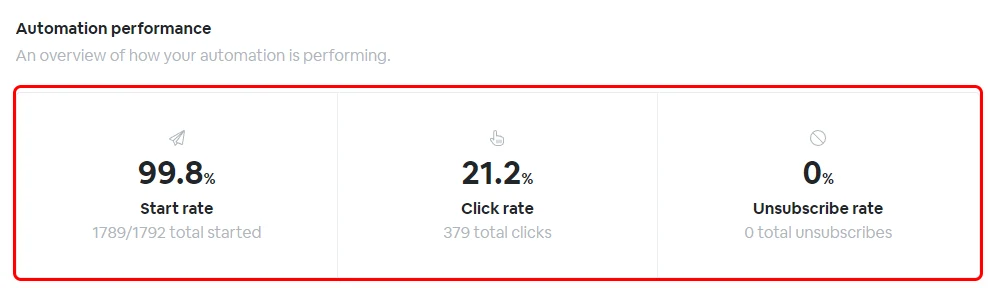
## Automation performance
* **Start rate** - is the number of contacts the automation has started to follow up.
* **Click rate** - is the number of contacts which interacted with the email or SMS text message received.
* **Unsubscribe rate** - is the number of contacts followed up by the automation which unsubscribed.
### Activity by date
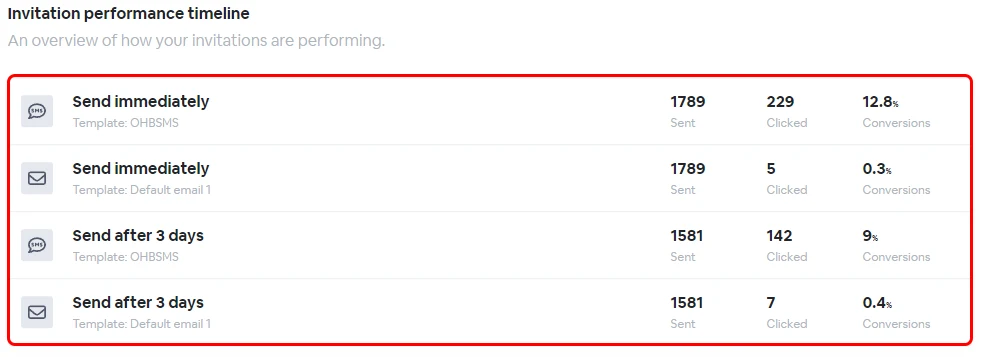
### Invitation performance
This is an overview on how the automation invitations are performing.
### Connected form
The form that is connected to this automation. You can also check the form analysis by clicking on the **View Report** button.
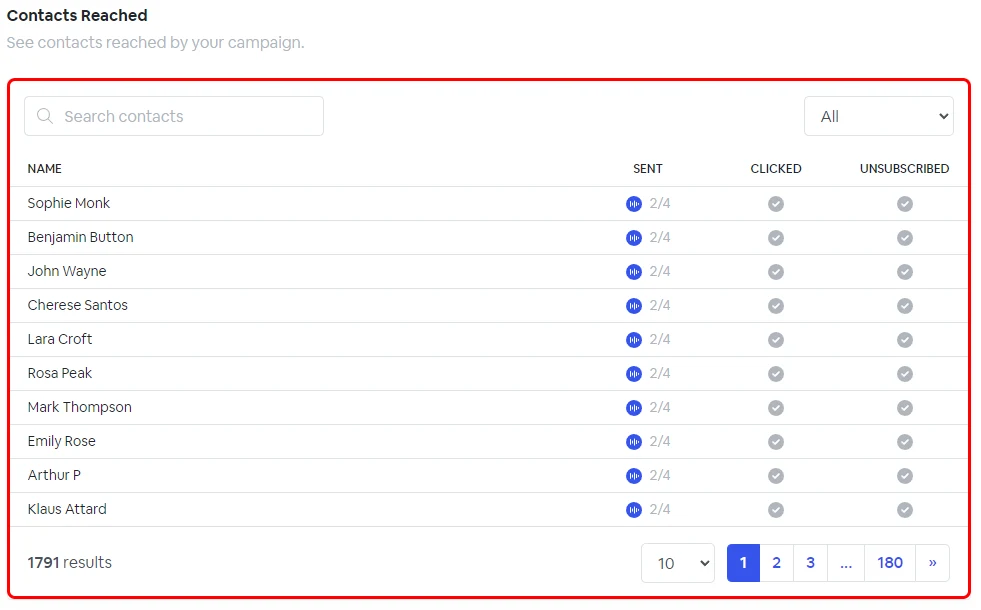
### Contacts reached
See all the contacts reached by the campaign and their status and interaction level.