# Create SMS campaign
> Create and send an SMS campaign using the three-step wizard.
Source: https://support.amazeful.com/campaigns/campaigns-overview/create-sms-campaign
Documentation index: https://support.amazeful.com/llms.txt
## **How to create an SMS campaign?**
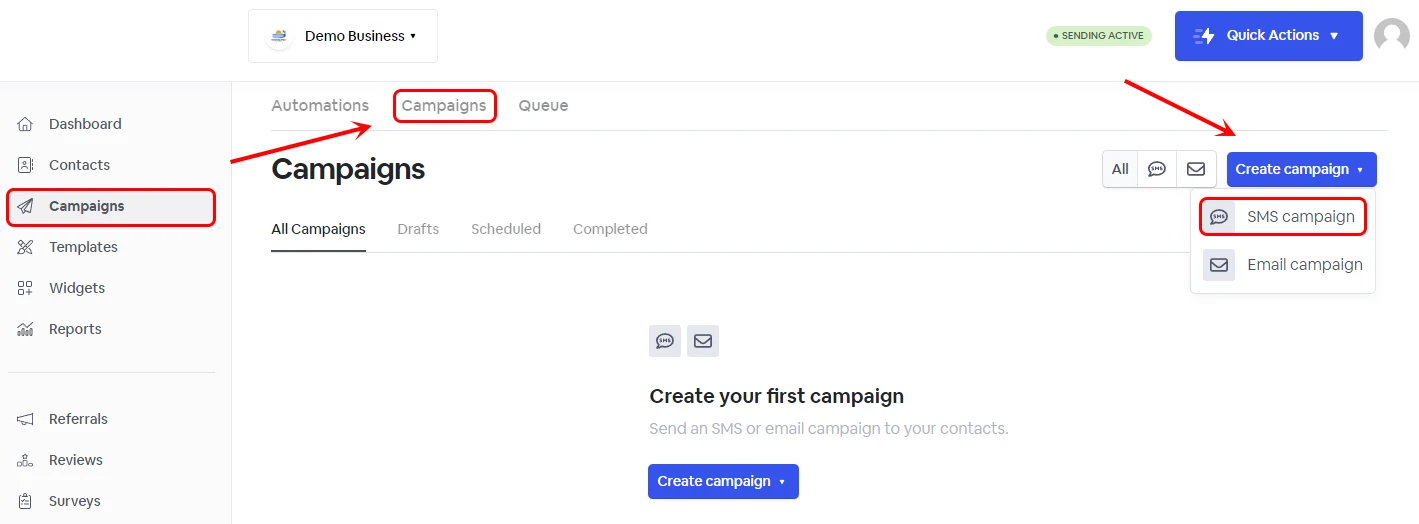
Go to the **Campaigns tab** from your dashboard. **Campaigns** -> **Create Campaign.**
Click **Create Campaign**, and a new window will pop up with the new **SMS** campaigns 3-step wizard.
### How to use Atlas, your AI assistant, to generate your marketing campaigns.
- [AI feature - Atlas](https://support.amazeful.com/other/ai-feature-atlas)
### Content
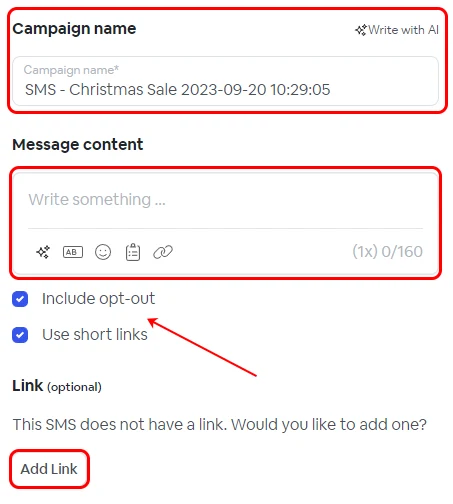
**Content** - In this section, you can rename your Campaign and add the SMS message content and a URL address link if the message intends to engage the contact to take action.
### Include opt-out and Use short links
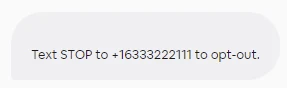
1. Including the opt-out feature will offer customers the option to unsubscribe by sending STOP to a designated mobile number.
2. Opting for short links will trim the URL within the SMS content, minimize the character count for lengthy links, offer a more polished and professional appearance, and reduce the overall SMS length to save on SMS credits. Moreover, our platform will be able to track link engagement for campaign analytics purposes. As an illustration, a URL like **** can be condensed to ****.
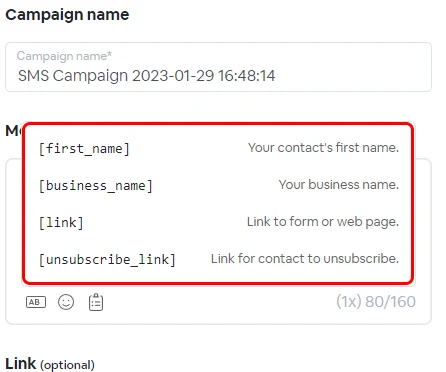
### Inserting variables in the body of the text
**AB** - lists the available system or custom metadata available to personalize the SMS content.
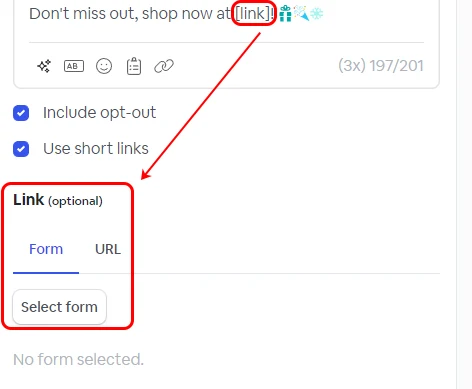
### Define the \[link] action
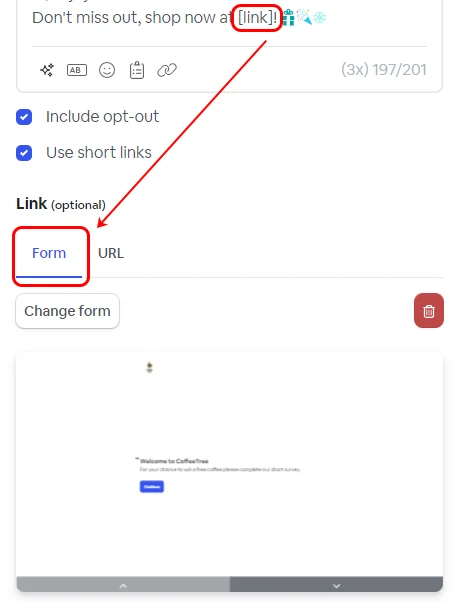
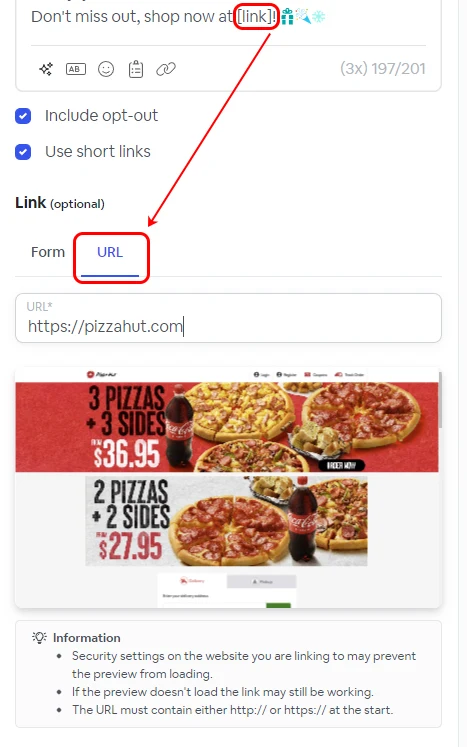
When the **\[link]** variable is added to the body of the message, you will be prompted with two options: **From** and **URL**.
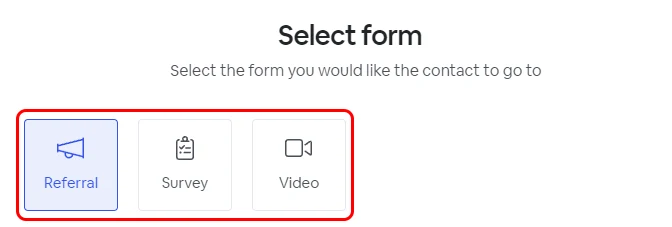
The **Form** provides the option to select a link that redirects the customer to an internal platform form, such as a **Referral**, **Survey**, or **Video Testimonial** form.
The **URL** option allows you to direct the customer to an **external URL** of your choosing, such as a promotional web page on your website.
> **Info:**
>
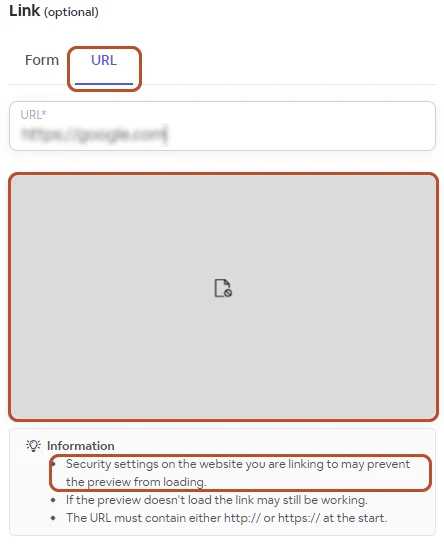
> If your custom URL preview appears as in the example below, rest assured that the URL will still function. The absence of a preview is attributed to your website's security settings.
>
>
### Step 2 - Recipients
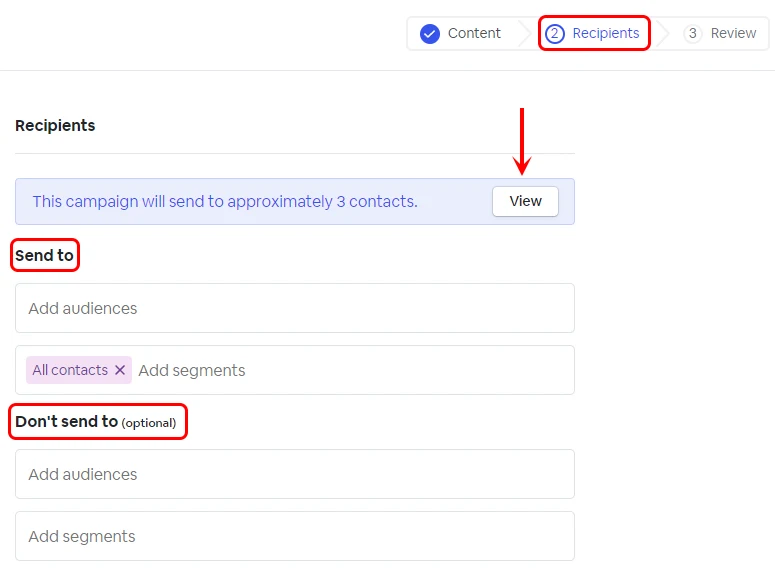
The recipient's step allows you to select your **Audience** or **Segment** with the contacts you want to use for this Campaign.
### Step 3 - Review
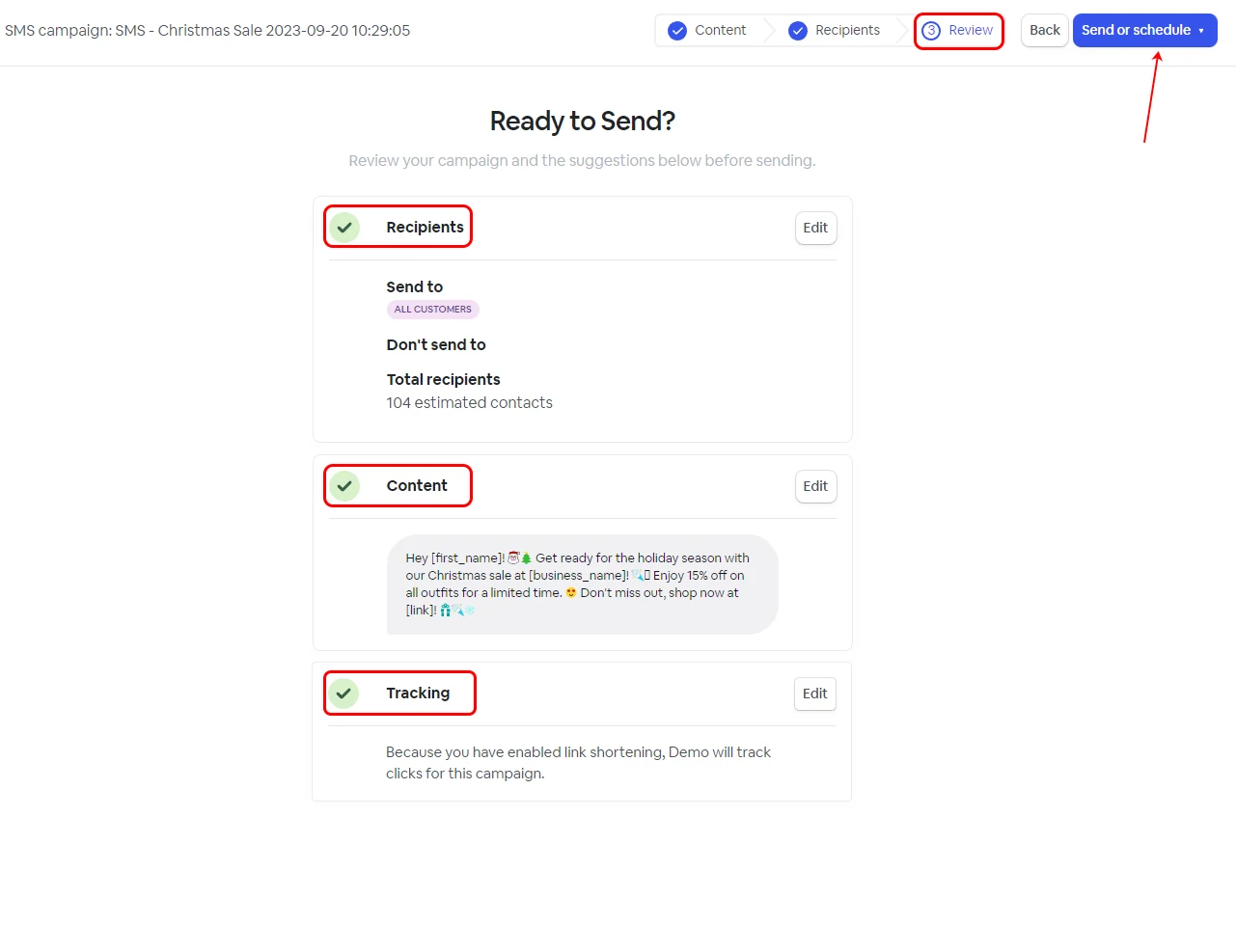
The third and final stage of the SMS campaign setup gives you an overview of the campaign recipients, content, and tracking.
You can send the campaign immediately or schedule it using the **Send or Schedule** button at the top right corner.

 ### Step 2 - Recipients
The recipient's step allows you to select your **Audience** or **Segment** with the contacts you want to use for this Campaign.