# SMS template
> Create and customize an SMS template for review, referral, survey, video or marketing messages.
Source: https://support.amazeful.com/campaigns/templates/sms-template
Documentation index: https://support.amazeful.com/llms.txt
## **Create SMS template**
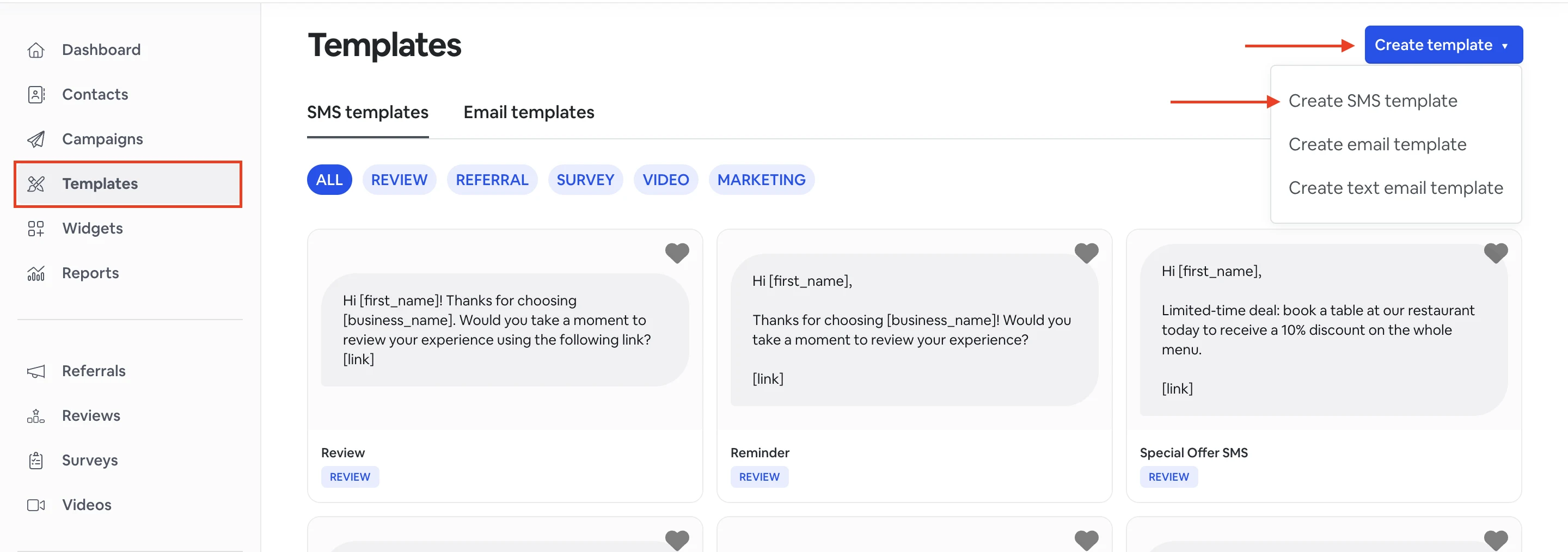
1. From the **Templates** tab, click **Create template** -> **Create SMS template.**
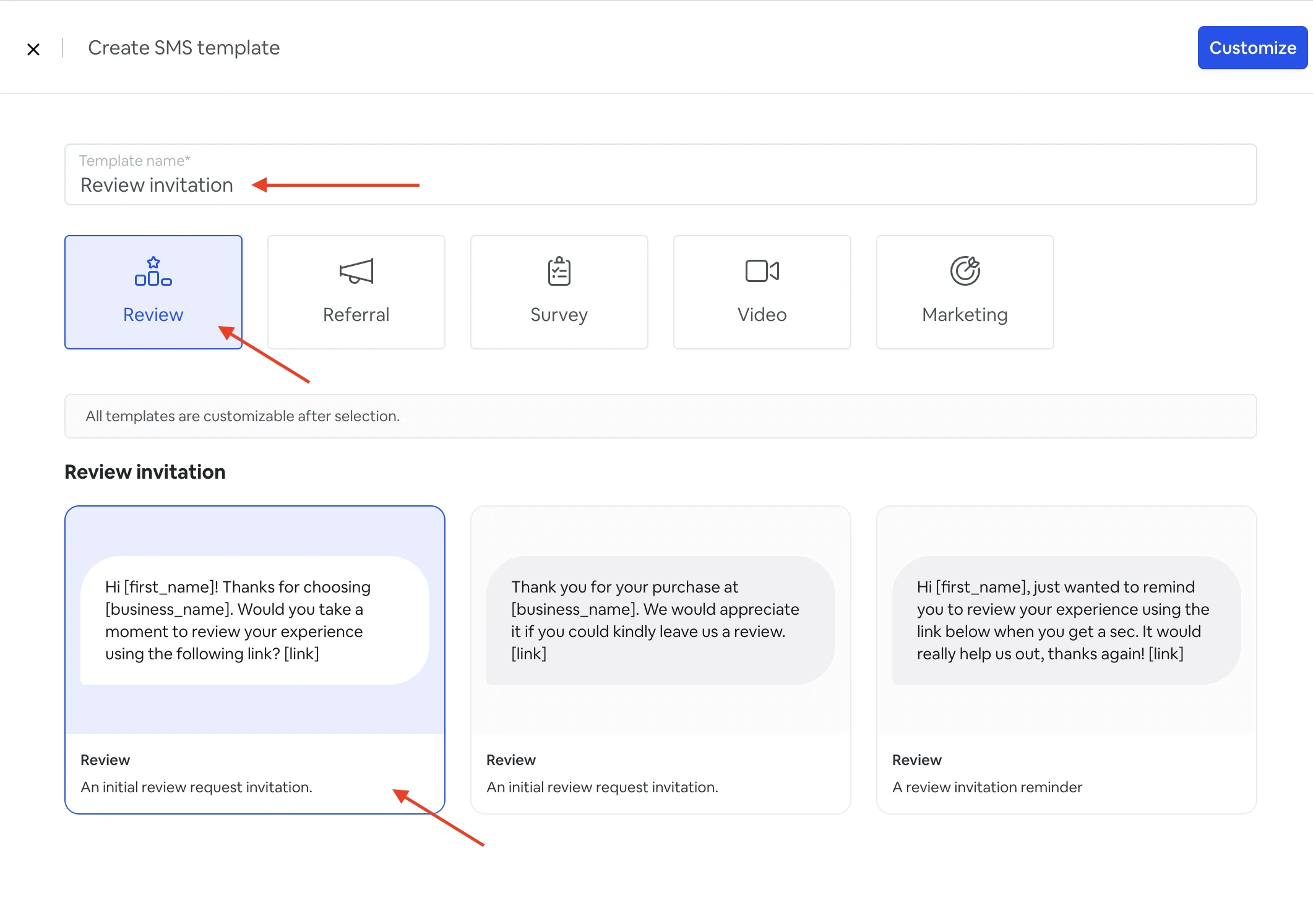
2\. Type a name for your template.
3\. Choose what type of SMS template you want to send (Review, Referral, Survey, Video, Marketing).
4\. Choose a text template for your SMS review request.
\*All templates are customizable after selection.
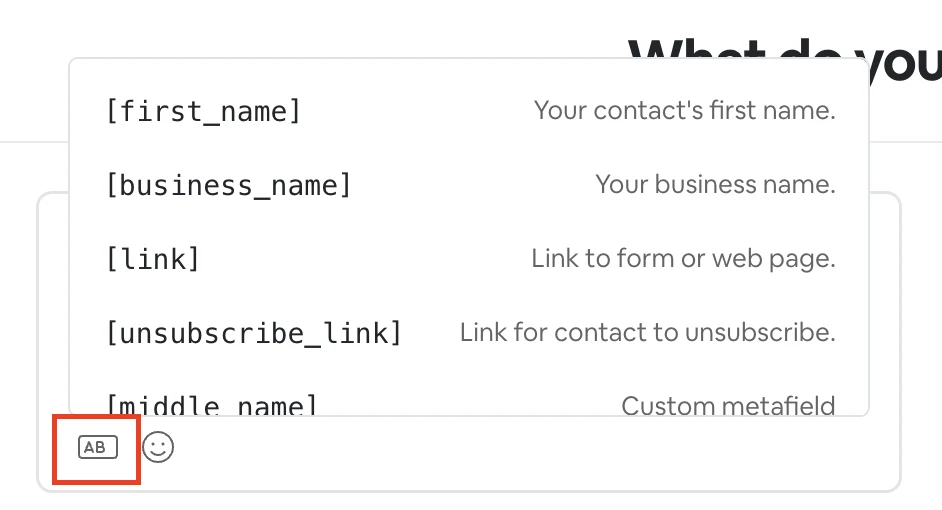
5\. From this point, you can customize your template. You can edit the text and add necessary variables such as:
**\[first\_name]** - Your contact’s first name.
**\[business name]** - Your business’s name.
**\[link]** - Link to connected form.
**\[unsubscribe\_link]** - Link for contact to unsubscribe.
\[**Custom metafield]** - Metafield name
To select a variable, click on the rounded rectangle and choose the variable you need to add to your SMS template.
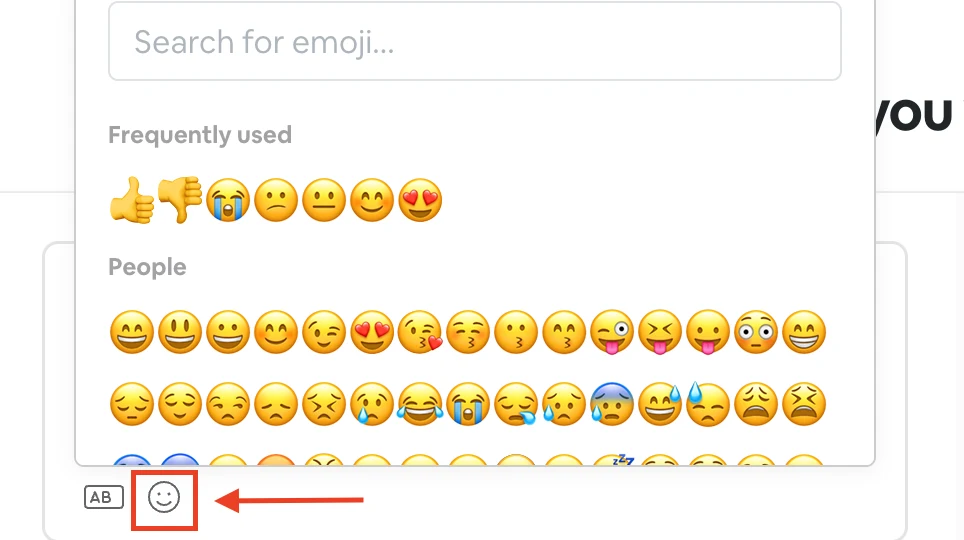
You can also add emojis to your SMS template by clicking on the smiley face icon.
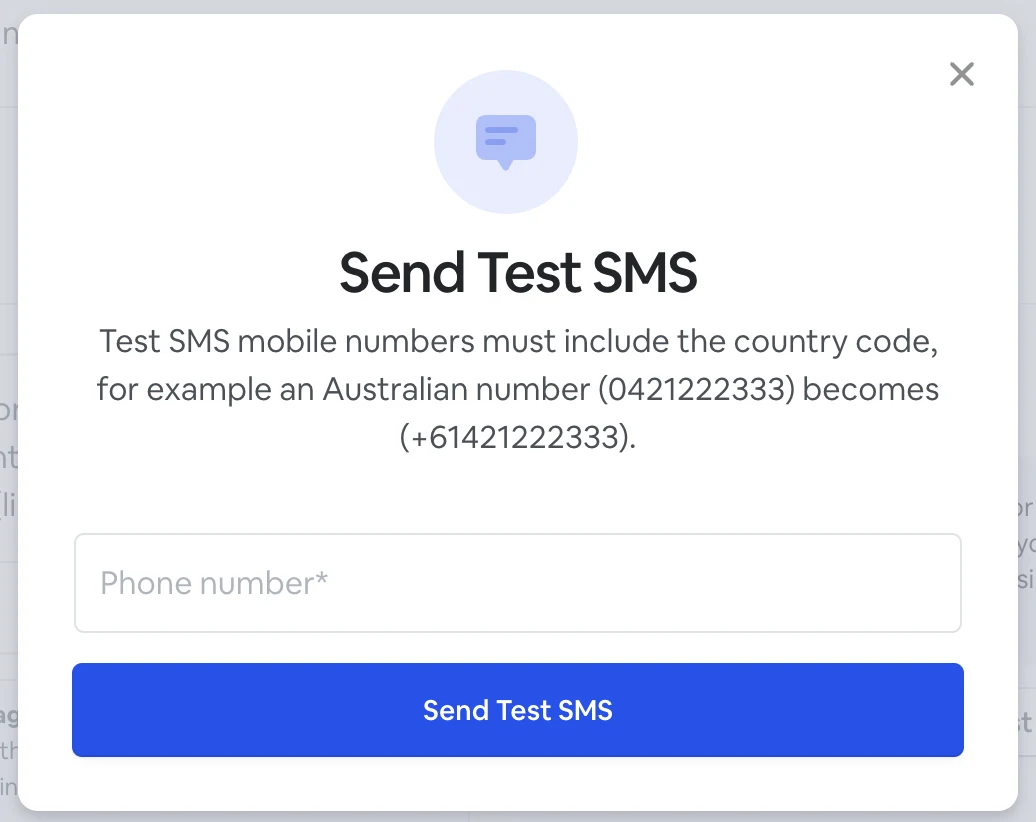
6\. Once your SMS template is ready, you can send a test SMS to your phone number. Enter your phone number with the country code, for example, +16421222333, and click '**Send SMS'**.
Once your SMS template is ready, click **Save.**