# Tagging contacts
> Add tags to one contact or to multiple contacts at once.
Source: https://support.amazeful.com/contacts/managing-contacts/tagging-contacts
Documentation index: https://support.amazeful.com/llms.txt
## **Adding tags to contacts**
You can add a tag to a single contact or to multiple contacts at once.
## **Tagging a single contact**
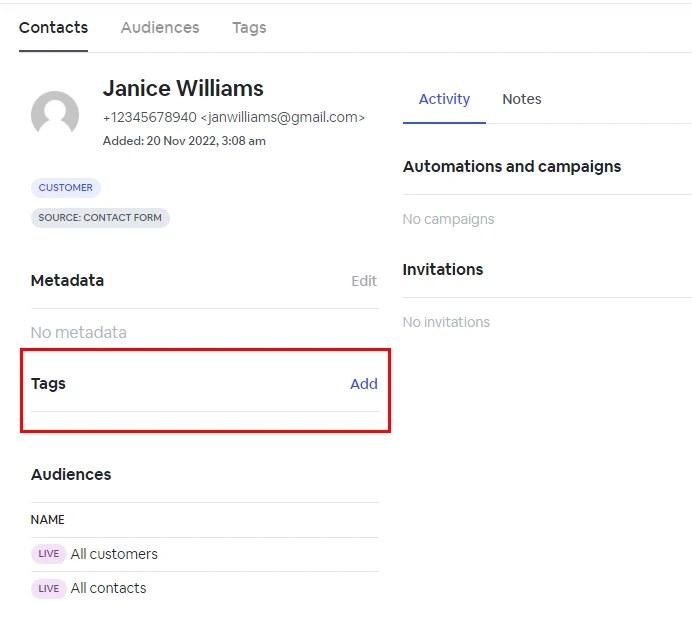
To add tag(s) to a single contact, go to ‘Contacts’ and select the contact you want to tag. Click Add -> in the Tags section.
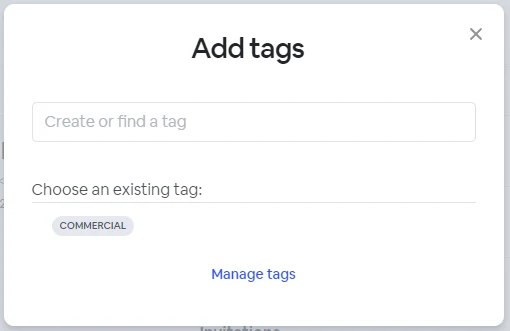
In the popup menu, you can search and add multiple existing tags or create new tags on the fly**.**
## **Tagging multiple contacts**
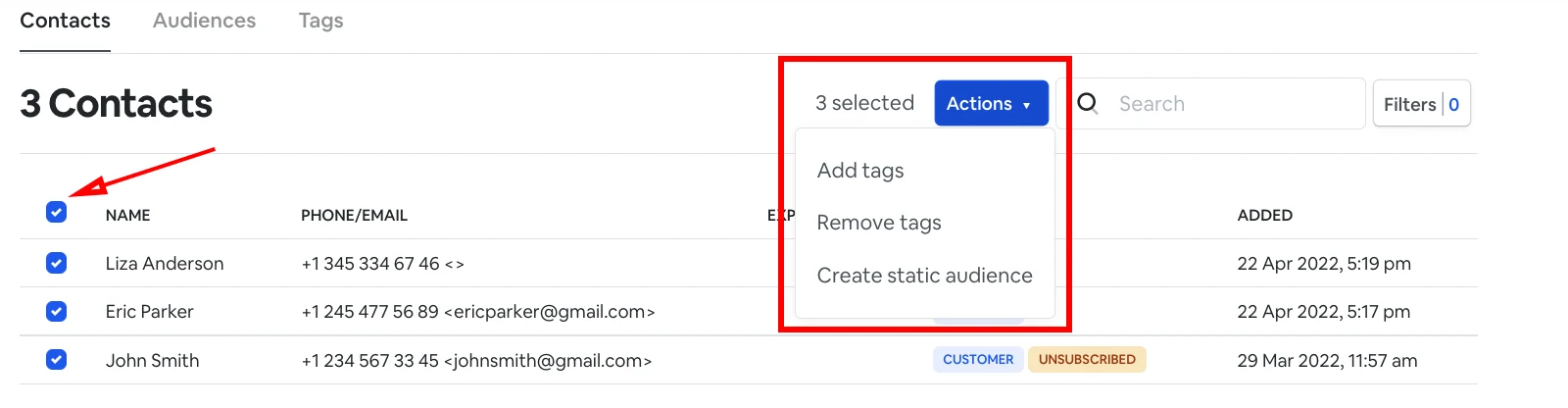
To add one or multiple tags to a group of contacts. You can select all the contacts individually or select all using the upper сheckbox. Only then the **Action** button will be displayed.
In the **Action** drop-down, Click -> **Add tags.** Then, in the popup menu, you can search and add multiple existing tags or create new tags on the fly**.**
## **Removing a tag from a contact**
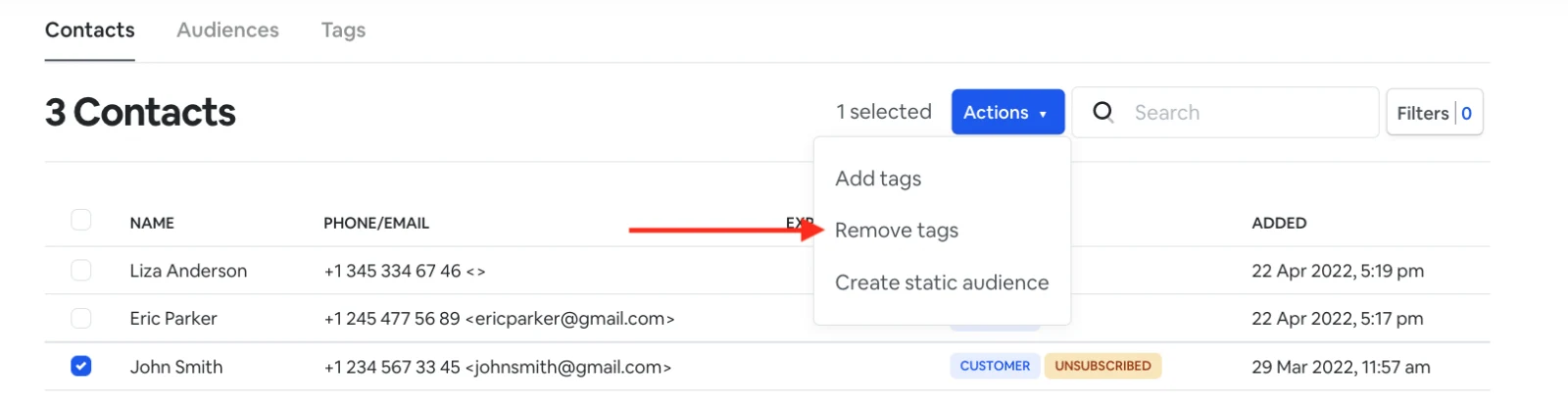
To remove a tag, select a contact or multiple contacts, and go to **Actions** -> **Remove tags**.
NOTE: (Once you remove a tag(s) from a contact(s), the contact(s) will be removed from all segments using that tag(s) as a filtering condition.