# Unsubscribing contacts
> Stop follow-up emails and SMS messages to a contact, or resubscribe them.
Source: https://support.amazeful.com/contacts/managing-contacts/unsubscribing-contacts
Documentation index: https://support.amazeful.com/llms.txt
You can unsubscribe a contact if you don't want him to receive any follow-up emails or SMS's. When the contact is unsubscribed, all his outstanding invitations are deactivated, and he is removed from all audiences.
**How to unsubscribe a contact?**
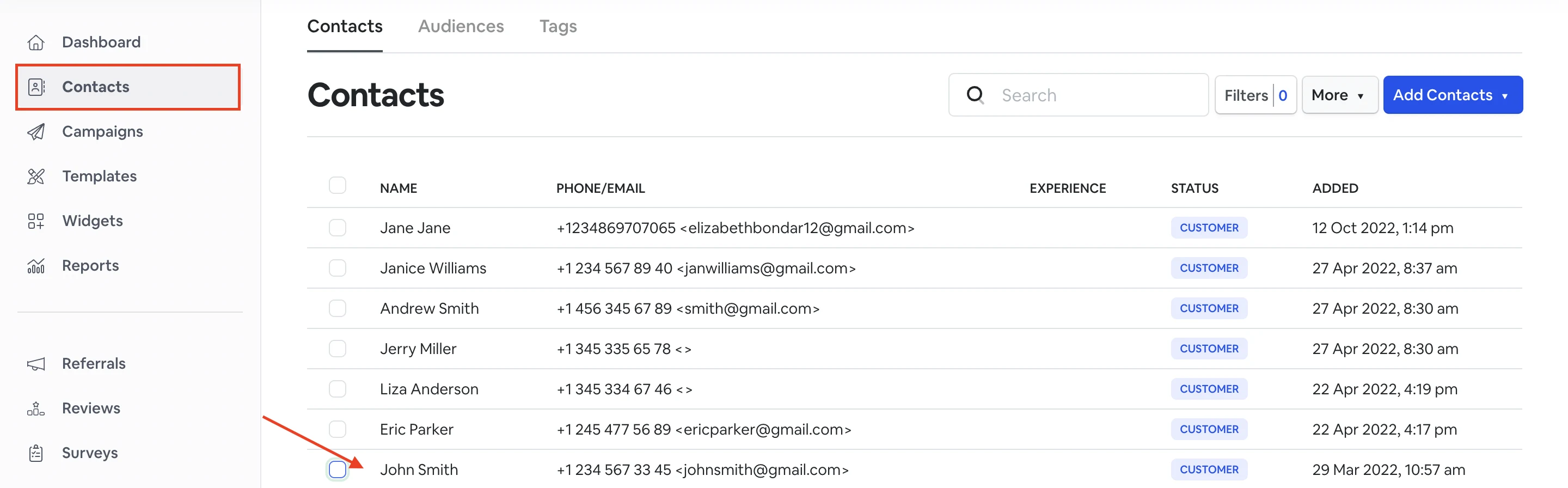
To do so, go to **Contacts** and choose a contact from the list you want to unsubscribe.
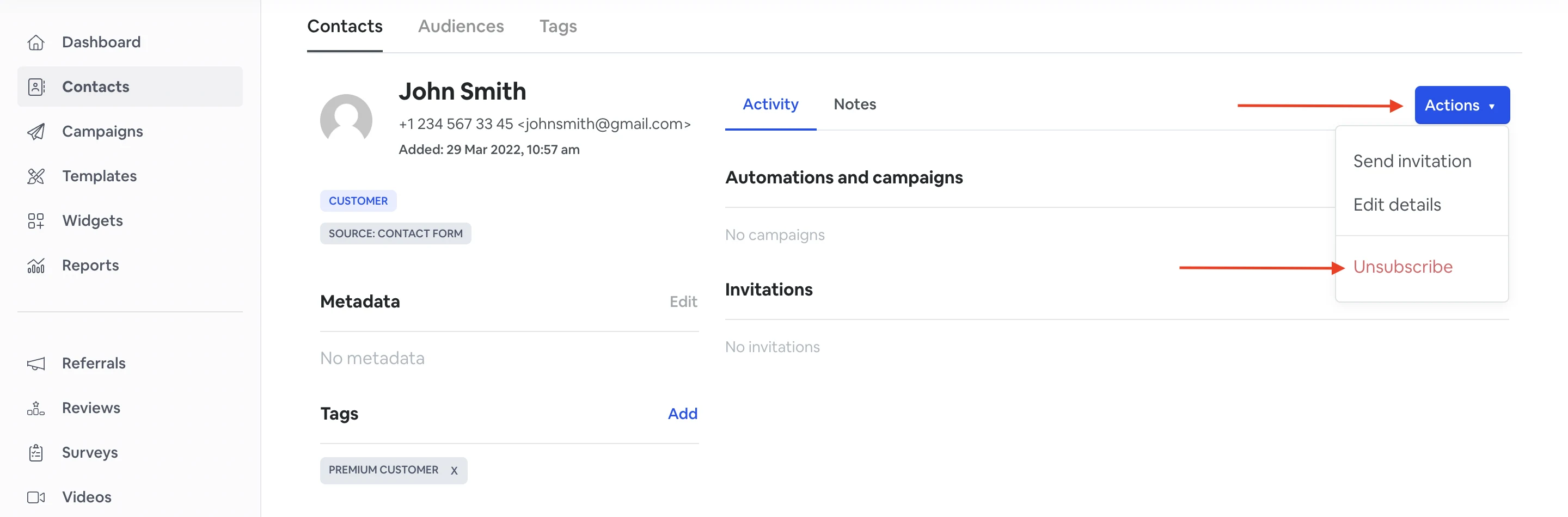
Click **Actions** -> **Unsubscribe**.
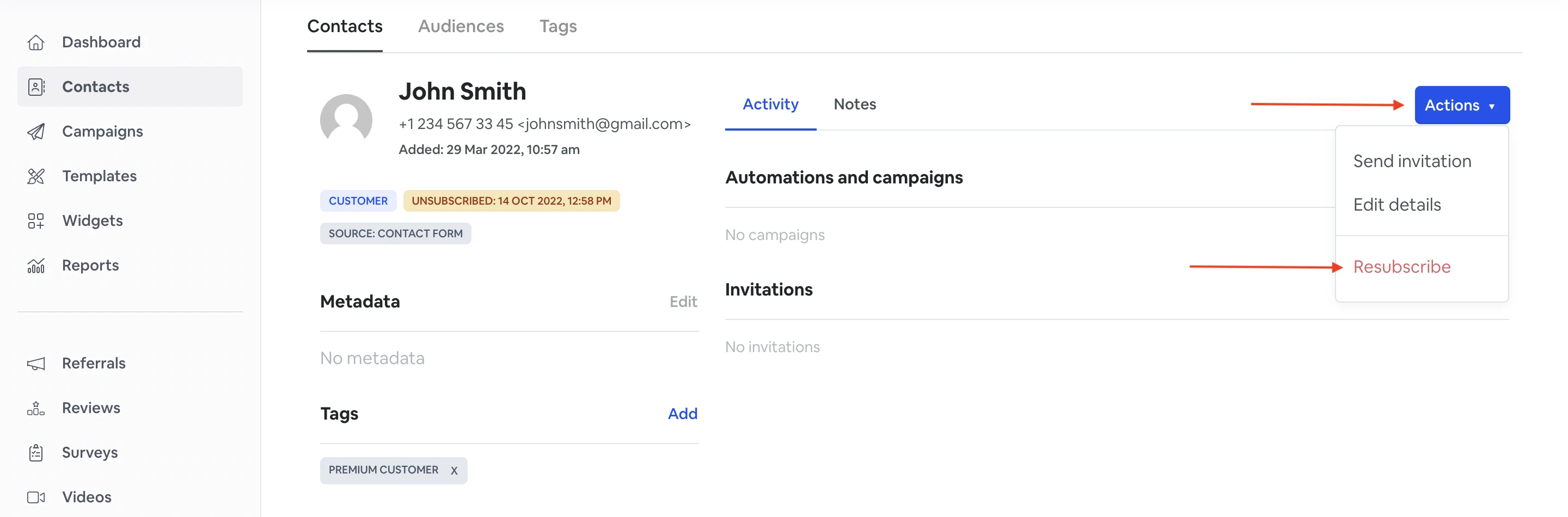
In the same way, you can resubscribe a contact.
Go to **Contacts** and choose a contact from the list that you want to resubscribe. Click **Actions** -> **Resubscribe**.