# Connecting a Phone Number
> Set up Inbox by choosing a phone number for the country your customers are in.
Source: https://support.amazeful.com/inbox/getting-started-with-inbox/connecting-a-phone-number
Documentation index: https://support.amazeful.com/llms.txt
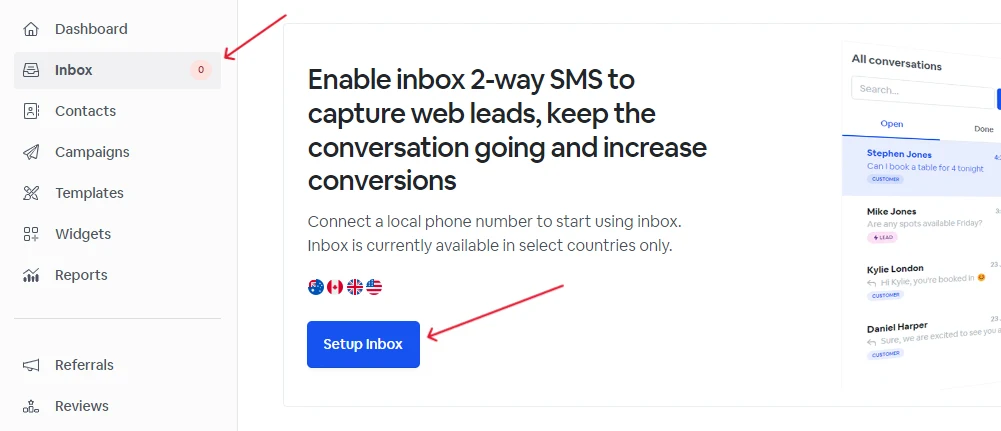
1. Select **Inbox** from the left-hand menu.
2. Select the **Setup Inbox** button.
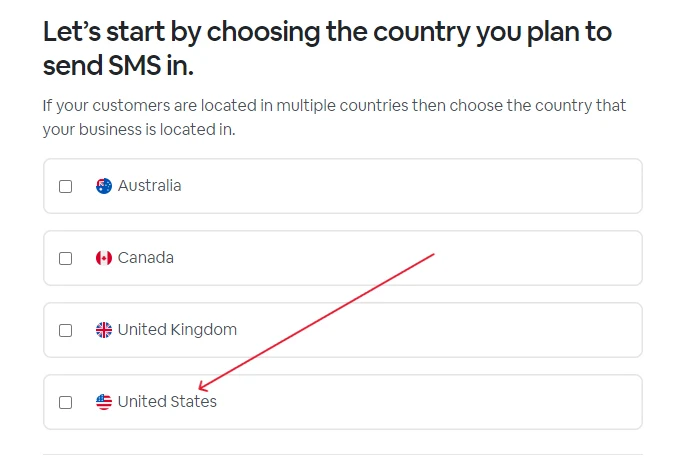
3\. Select the country that your customers reside in.
> **Info:**
>
> Phone numbers can only send/receive messages with phone numbers in the same country of origin. For example, a US phone number can only communicate with other US phone numbers.
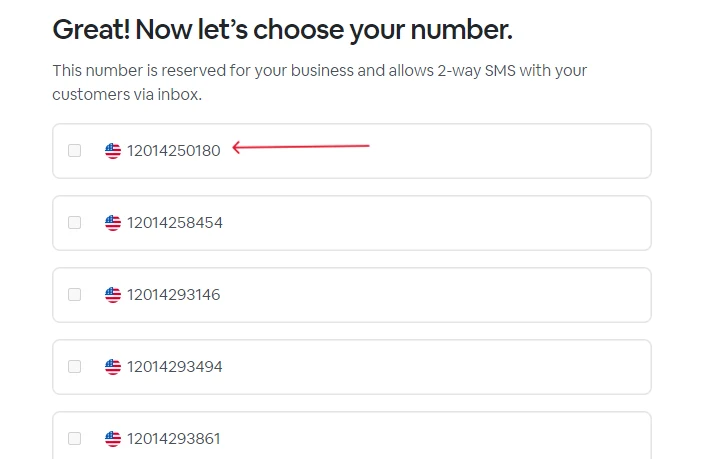
4\. If numbers are already available for your region, please choose a phone number to associate with your account.
> **Info:**
>
> You might need to contact support to enable number selection depending on your selected region.