# Installing Widgets on Wix

> Add your widget embed code to a Wix site using Custom Code.

Source: https://support.amazeful.com/other/widgets/installing-widgets-on-wix
Documentation index: https://support.amazeful.com/llms.txt

> **Info:**
>
> If you haven't created your website embed code yet, [please view the setup instructions](https://support.amazeful.com/inbox/getting-started-with-inbox/web-chat-widget).


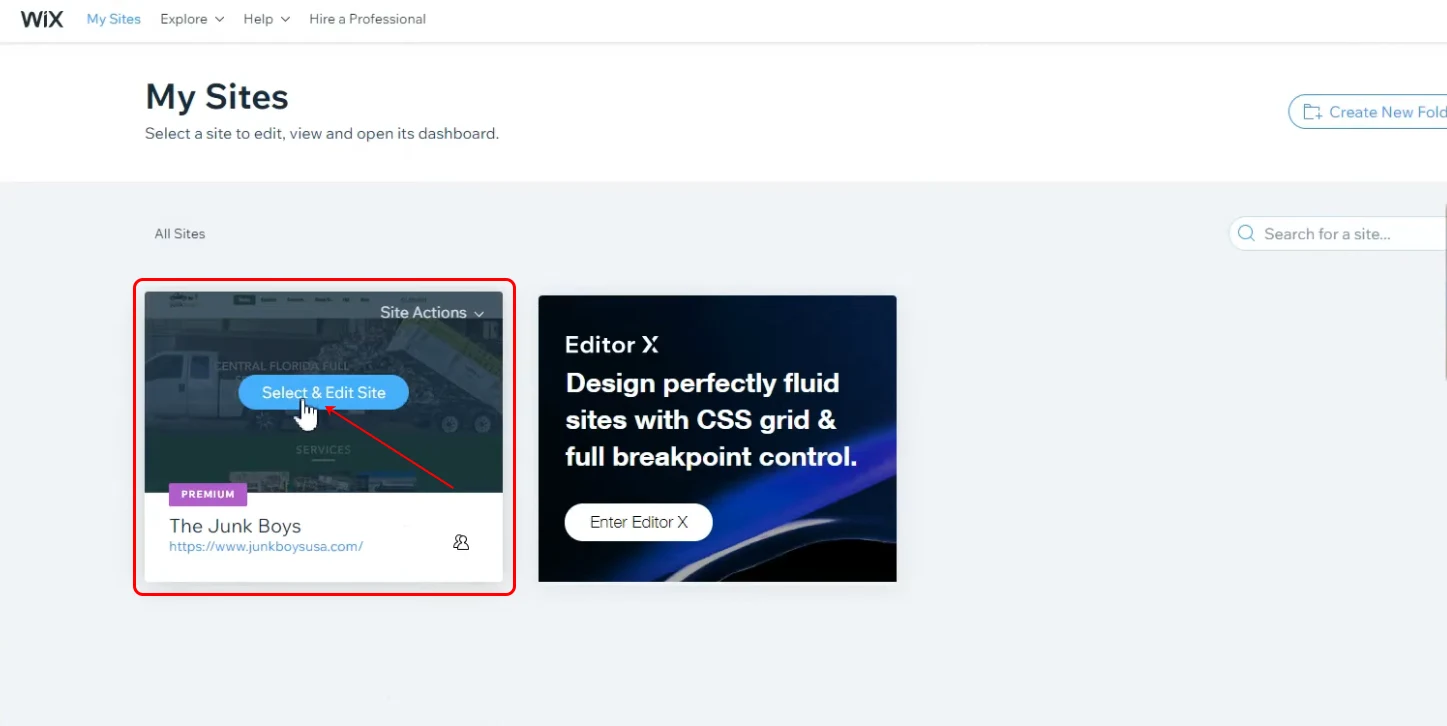
1. Sign into your Wix account.
2. Select and Edit your **Site**.

<figure><img src="https://support.amazeful.com/files/8td46NlKIy9KuKPgCktk.webp" alt=""><figcaption></figcaption></figure>

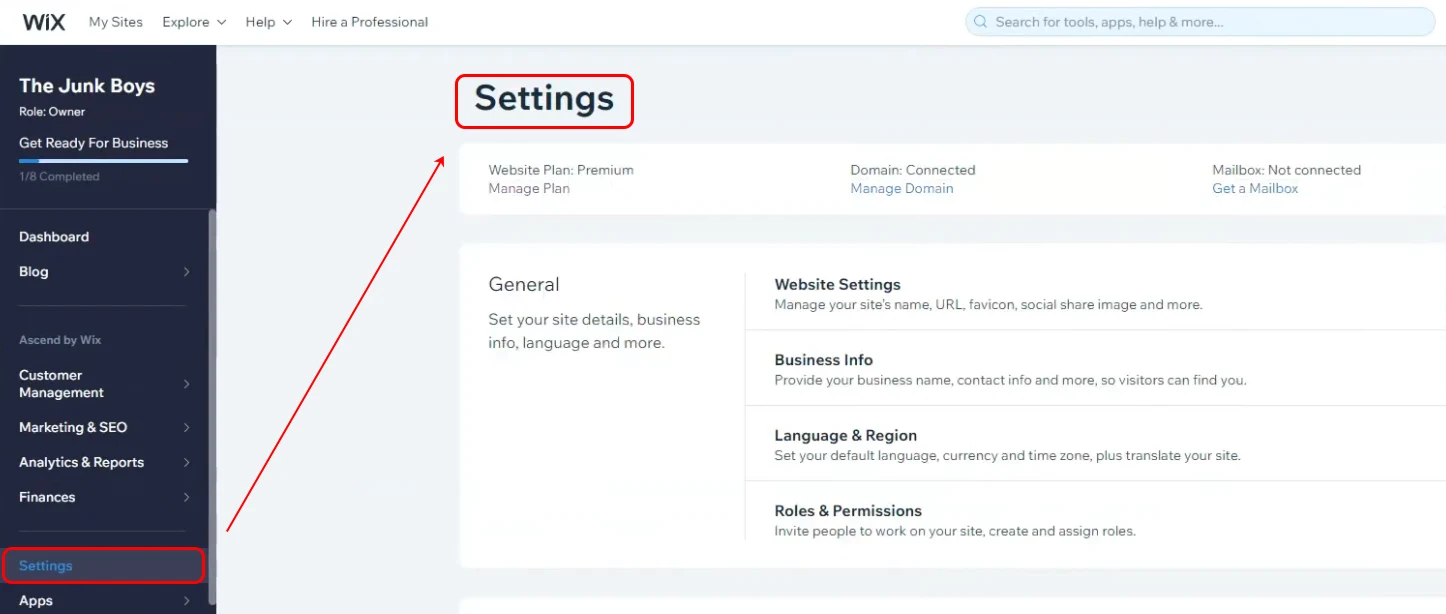
3. Click the **Settings** and scroll down in the settings section.

<figure><img src="https://support.amazeful.com/files/P87ILRh7YBoQIGEzkPzU.webp" alt=""><figcaption></figcaption></figure>

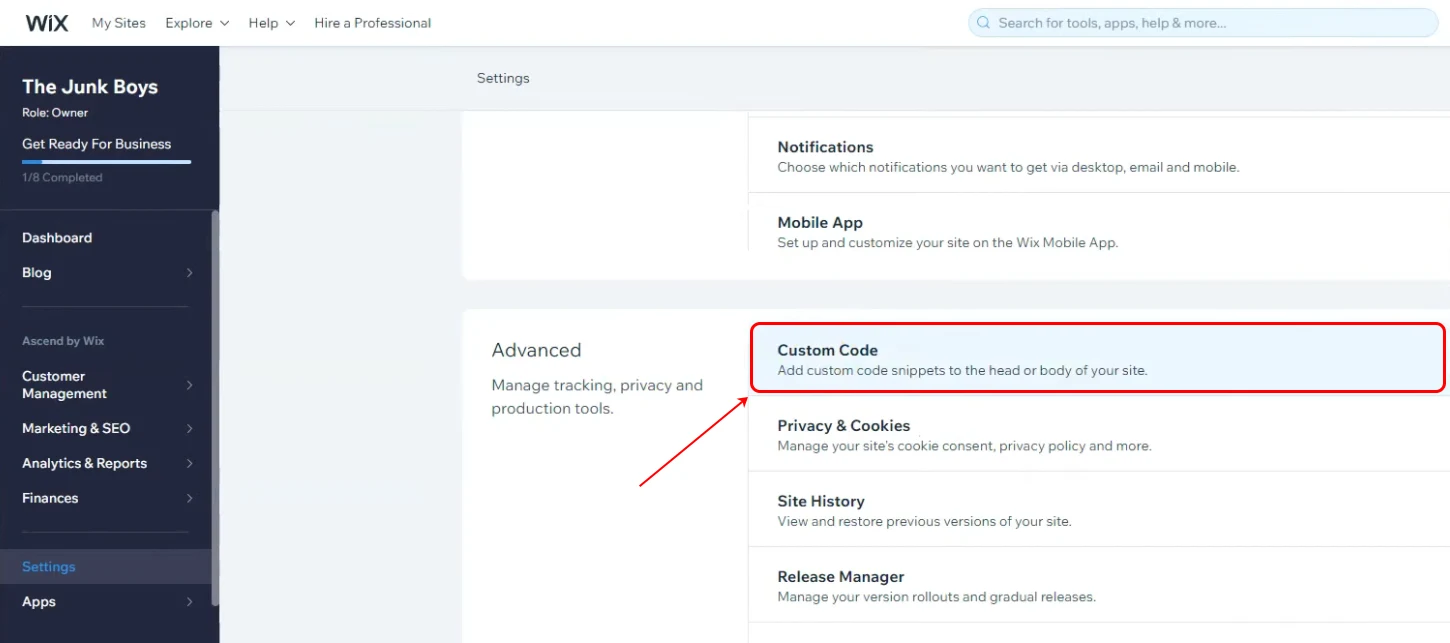
4. Click **Custom Code** under the **Advanced** section.

<figure><img src="https://support.amazeful.com/files/d9PNf4bW76WuvBTubOrq.webp" alt=""><figcaption></figcaption></figure>

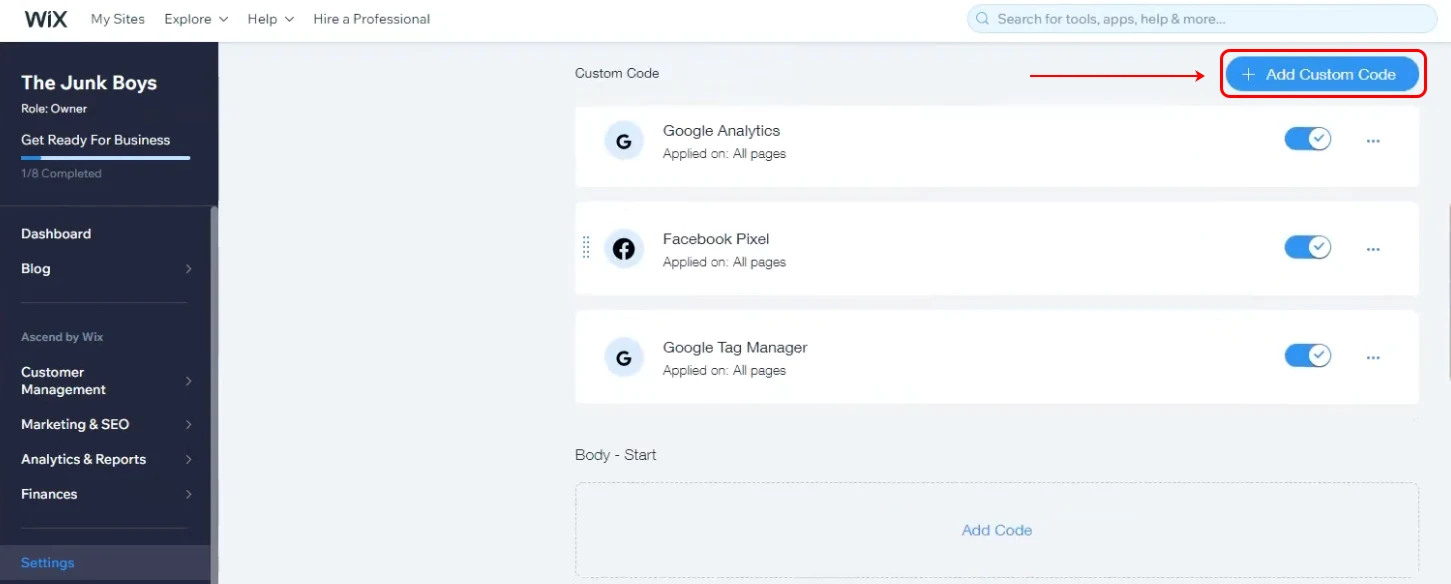
5. Click the **+Add Custom Code** button.

<figure><img src="https://support.amazeful.com/files/WabOKHqtuzwe60RWjI2C.webp" alt=""><figcaption></figcaption></figure>

6. Paste the embed code on the line above the **\</body>** tag.


> **Info:**
>
> Copy your embed code from your widget.[Widgets](https://support.amazeful.com/other/widgets/overview#how-to-embed-a-widget-layout-on-the-website)
<figure><img src="https://support.amazeful.com/files/LE6sSRnb1oQhMKoBGkqC.webp" alt=""><figcaption></figcaption></figure>

7. Paste the Widget code**.**

<figure><img src="https://support.amazeful.com/files/Wj9xi94P5kIleZVxX8C2.webp" alt=""><figcaption></figcaption></figure>

Make sure your page is set as per the above screenshot:

1. Place to paste the **Widget Code.**
2. **Add Code to Pages** select **All Pages** -> **Load code once.**
3. **Place Code in** -> **Head.**
4. Click **Apply**.

You're done! If you refresh your website, you should now see your Widget.


> **Info:**
>
> If you want to make changes to what widgets are displayed on your website. You can do this by editing the layout in your dashboard.