# Connecting to review sites
> Connect review sites other than Google and enable them on your review forms.
Source: https://support.amazeful.com/reviews/getting-started-with-reviews/connecting-to-review-sites
Documentation index: https://support.amazeful.com/llms.txt
> **Info:**
>
> If you only want to collect reviews on **Google** and you have already [connected the GMB account](https://support.amazeful.com/reviews/getting-started-with-reviews/connecting-to-google), you can skip to [Creating Review Forms](https://support.amazeful.com/reviews/getting-started-with-reviews/creating-review-forms).
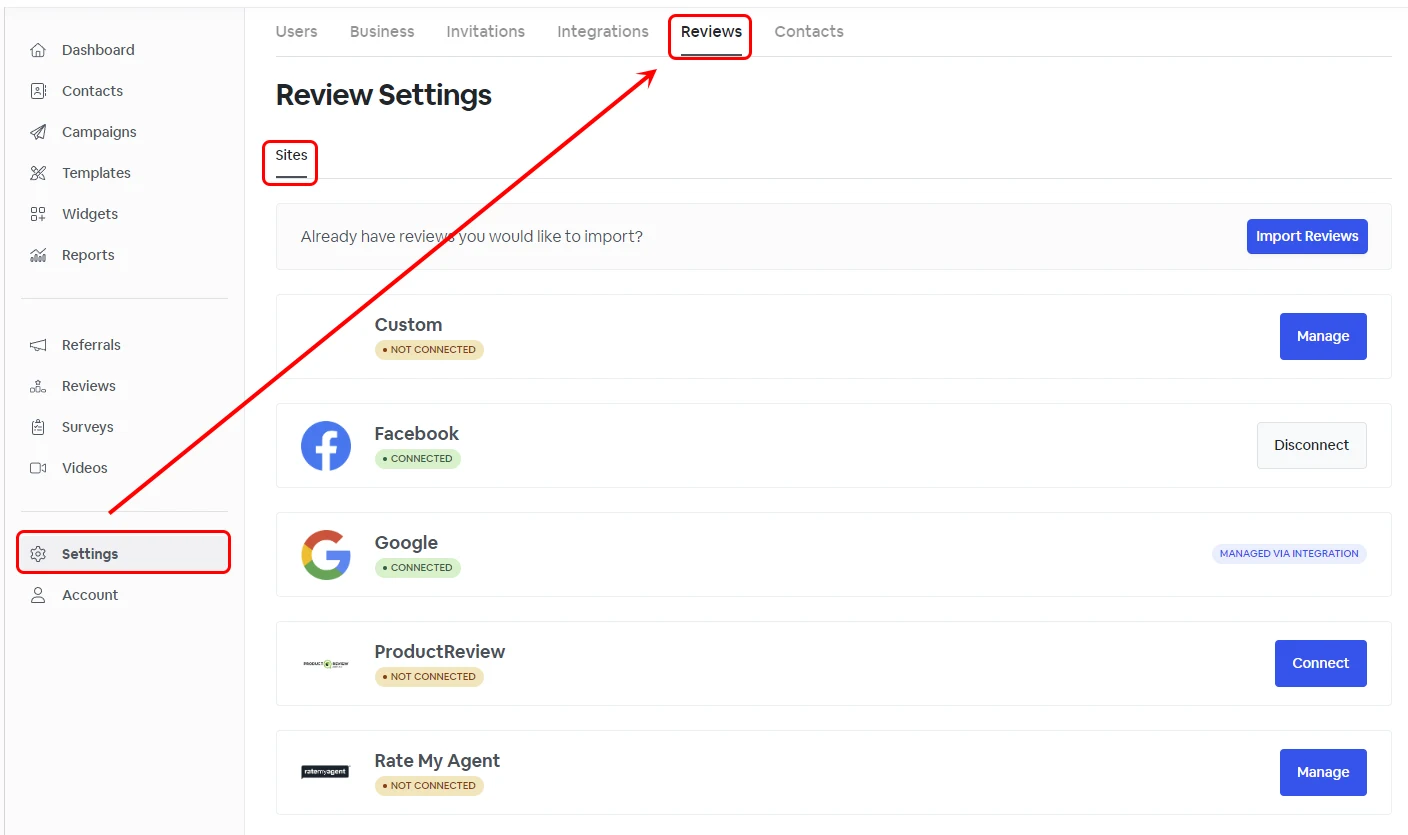
To connect to other review sites besides Google reviews, navigate to **Settings -> Reviews -> Sites.**
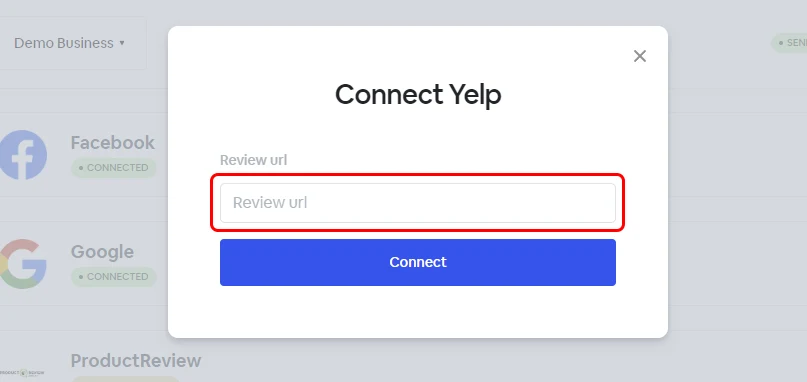
Click connect on the review site and insert the URL address for it.
> **Info:**
>
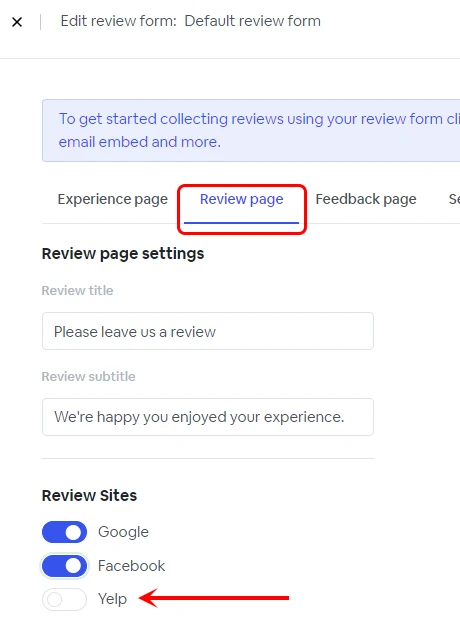
> Once your new site is connected, please navigate and open your review form under **Reviews -> Forms** and enable the new review site under the Review page.
## Custom Review Site
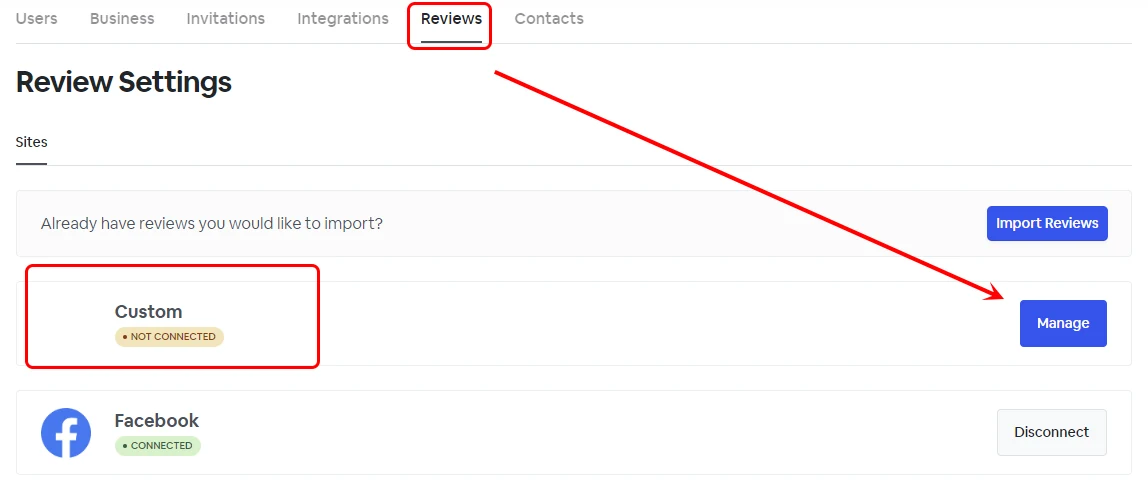
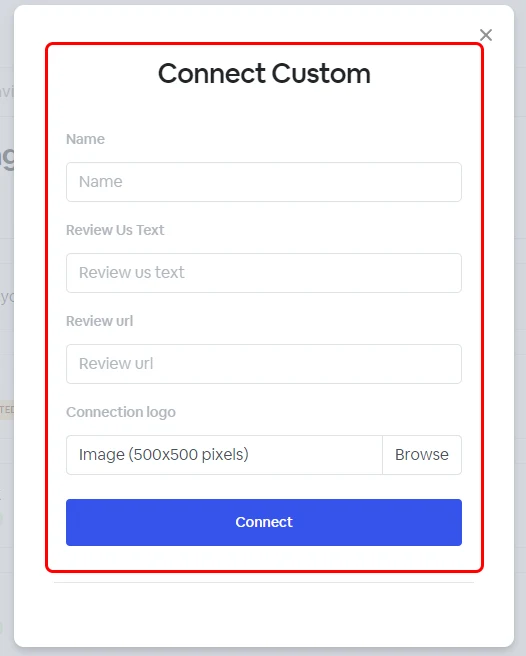
You can use the Custom option to connect a review site not available on our list.
Click the **Manage** button next to the **Custom site** option.
You can customize the review site Name, Review us text, Review URL, and Connection logo.
> **Info:**
>
> Once your new site is connected, please navigate and open your review form under **Reviews -> Forms** and enable the new review site under the Review page.