# Review form analytics
> Check how a review form is performing, including activity and review site results.
Source: https://support.amazeful.com/reviews/review-forms-overview/review-form-analytics
Documentation index: https://support.amazeful.com/llms.txt
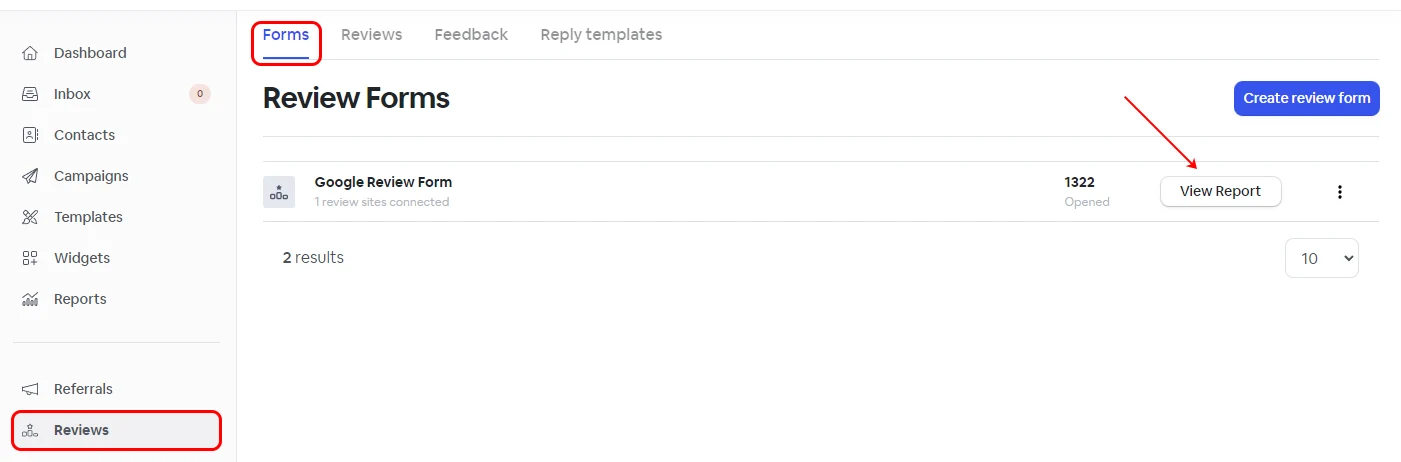
To check how your review forms are performing, click on the **View Report** button located on each review form.
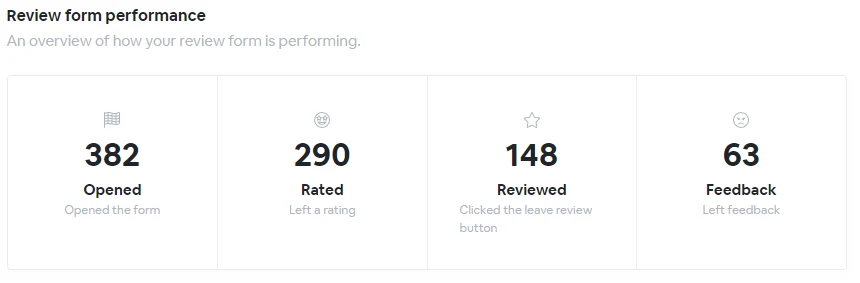
### Review form performance
Get more insight into how your review form is performing.
### Activity by date
An overview of the daily activity for the last 30 days
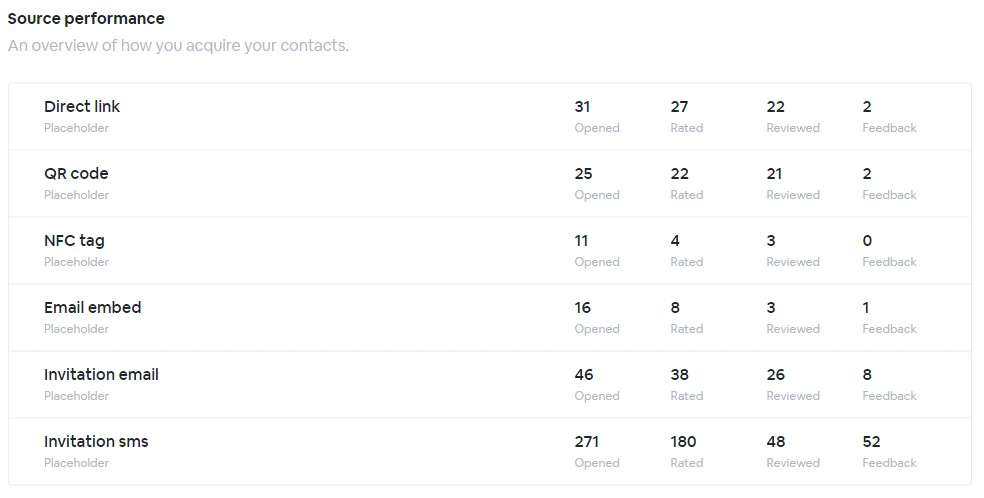
### Shared medium performance
An overview of how the review form was accessed.
### Review sites performance
An overview of which review sites your contacts went to.
### Linked automations
A list of all the automations linked to this form. You can also check the review automation performance by clicking on the **View Report** button.
### Linked campaigns
The campaigns that are connected to this form. You can also check the campaign performance by clicking on the **View Report** button.
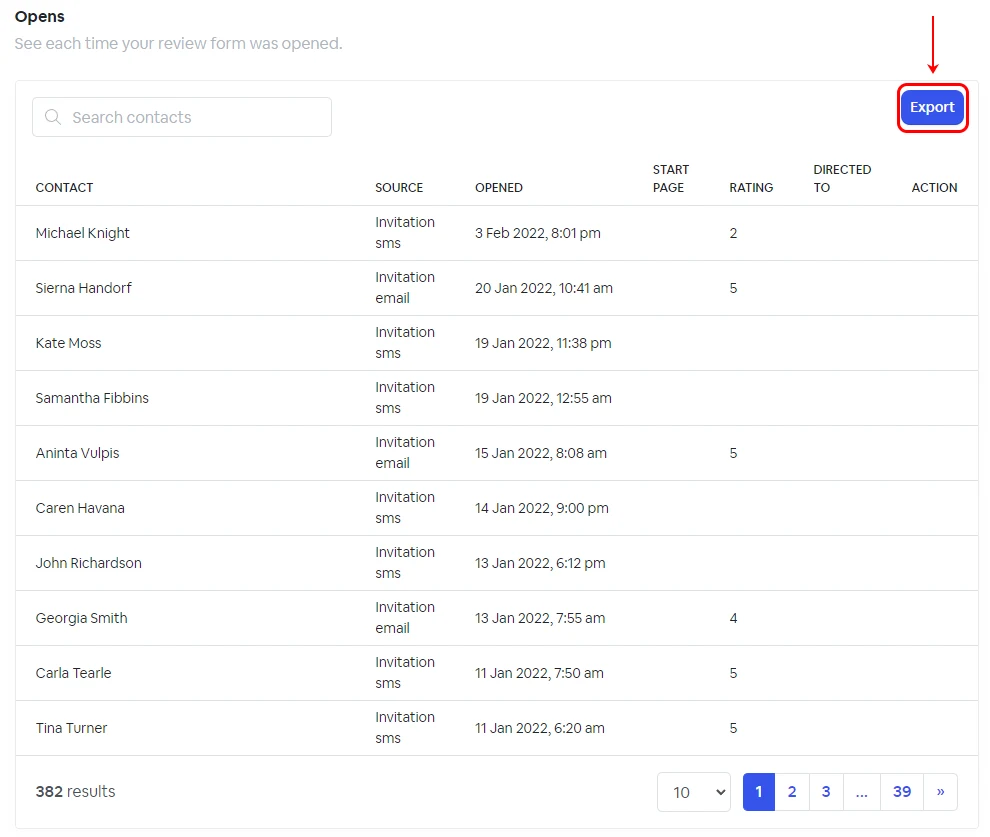
### Review form interactions
See each time a review form was opened as a complete searchable log and export the log to CSV.
### Export analytics to CSV file format
To export the analytics to **CSV**, simply click on the **Export** option within the **Review Form Analytics**, located in the **Opens** section.
Please see below the CSV format sample.