# Contacts Settings
> Create custom metafields to store additional details about your contacts.
Source: https://support.amazeful.com/settings-and-setup/settings/contacts-settings
Documentation index: https://support.amazeful.com/llms.txt
In this section you can create new metafields for your contacts. Currently, the available fields for contacts are **first name, last name, email,** and **phone**.
If you want to add additional fields such as **middle name, city** or any other you can do so.
## How to create metafield?
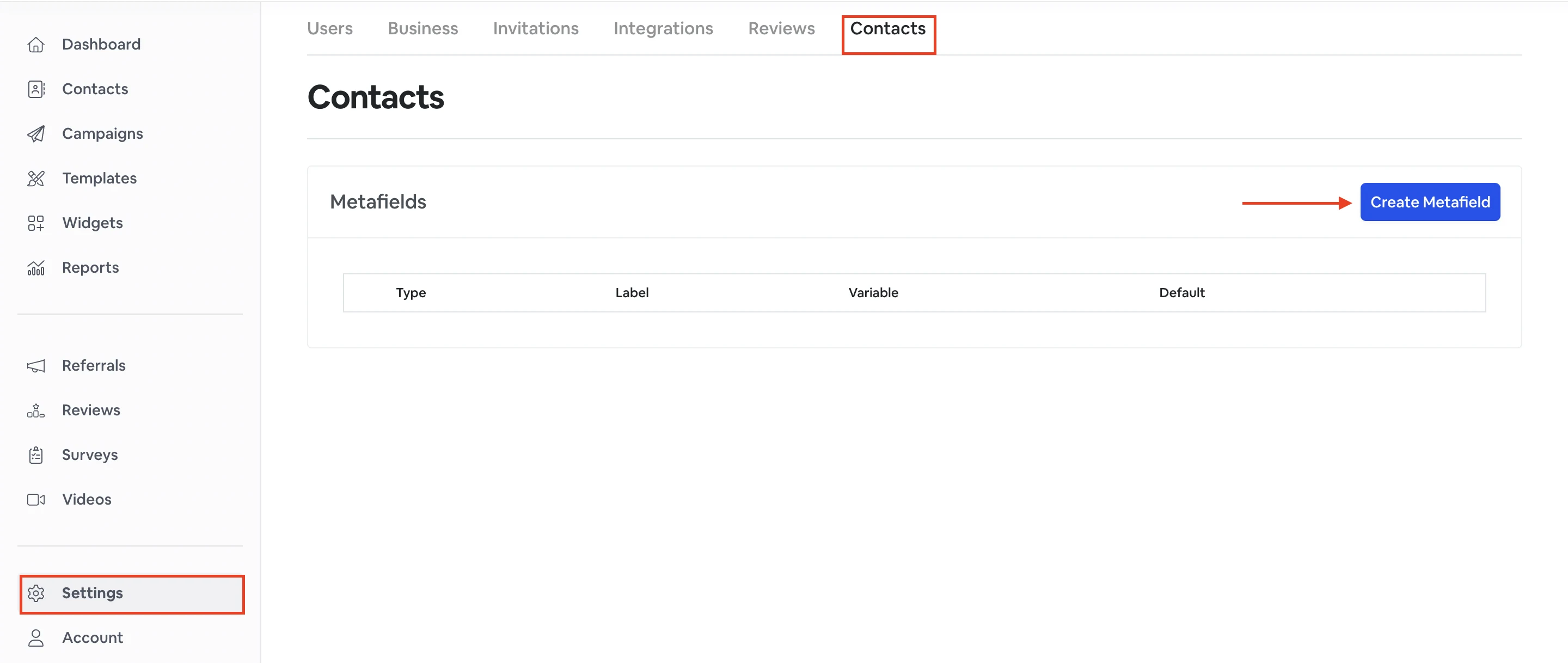
To create a metafield go to **Settings** -> **Contacts** -> **Create metafield**.
| | |
| -------- | ------------------------------------------------------------------------------------------------------- |
| Label | Type a name of the field. |
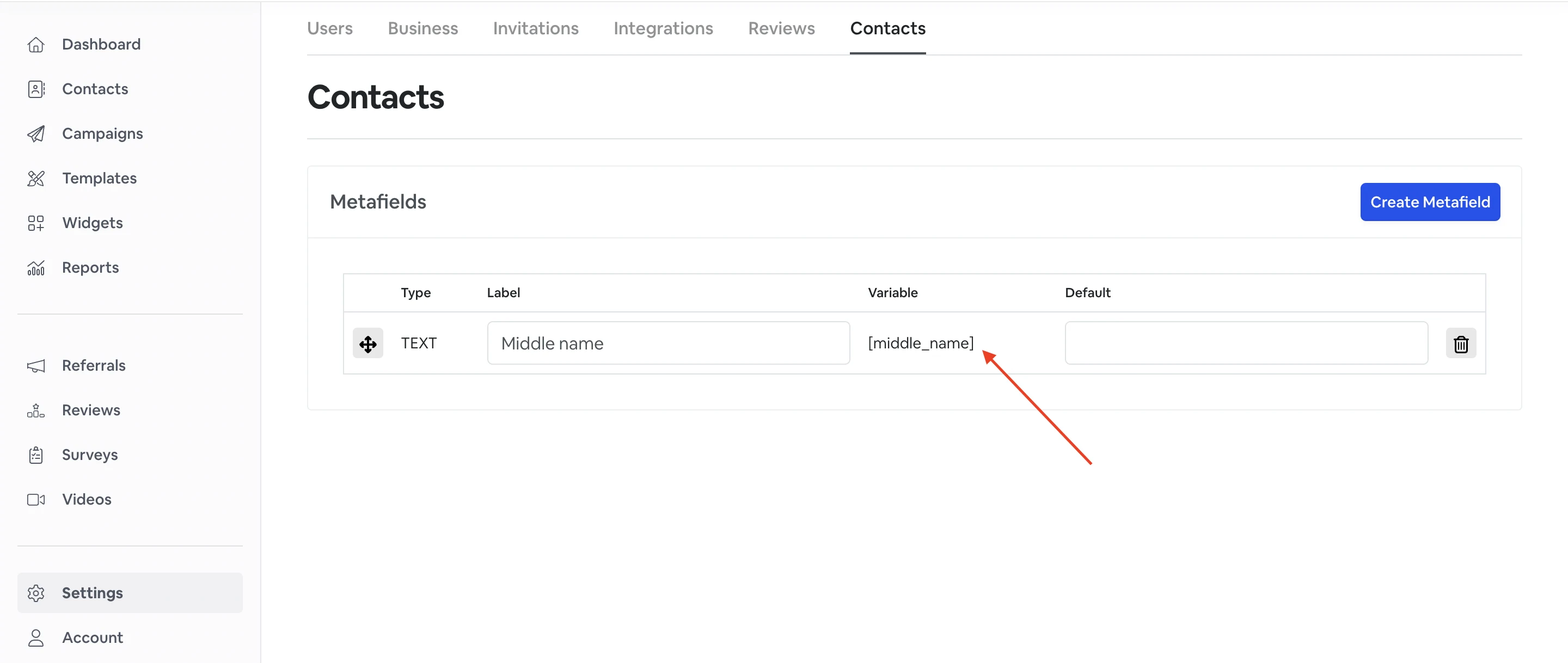
| Variable | Variable will be created automatically based on the Label. You can also edit and change it if you want. |
| Default | Optional default value if none is set. |
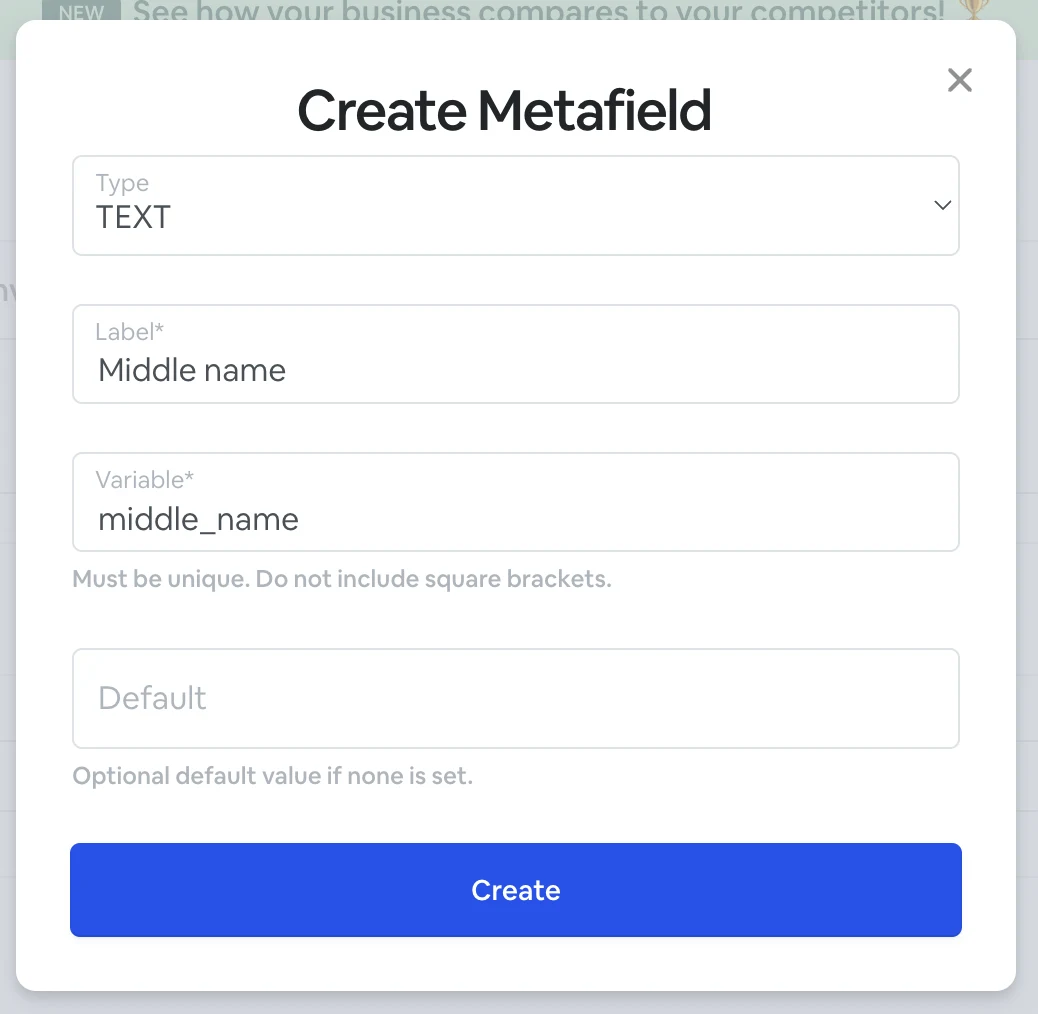
Once you create metafield, it will appear in the **Contacts** and **Templates** sections.
### How to use metadata?
[Please view our FAQ section on how to use the custom metadata.](https://support.amazeful.com/contacts/managing-contacts/how-to-use-custom-metadata)