# Inbox Settings

> Remove an attached phone number and choose what happens with inbound calls.

Source: https://support.amazeful.com/settings-and-setup/settings/inbox-settings
Documentation index: https://support.amazeful.com/llms.txt

In this section, you can remove an attached phone number and you can set the Inbox behavior when an Inbound call is received.

## How to access the Inbox settings?

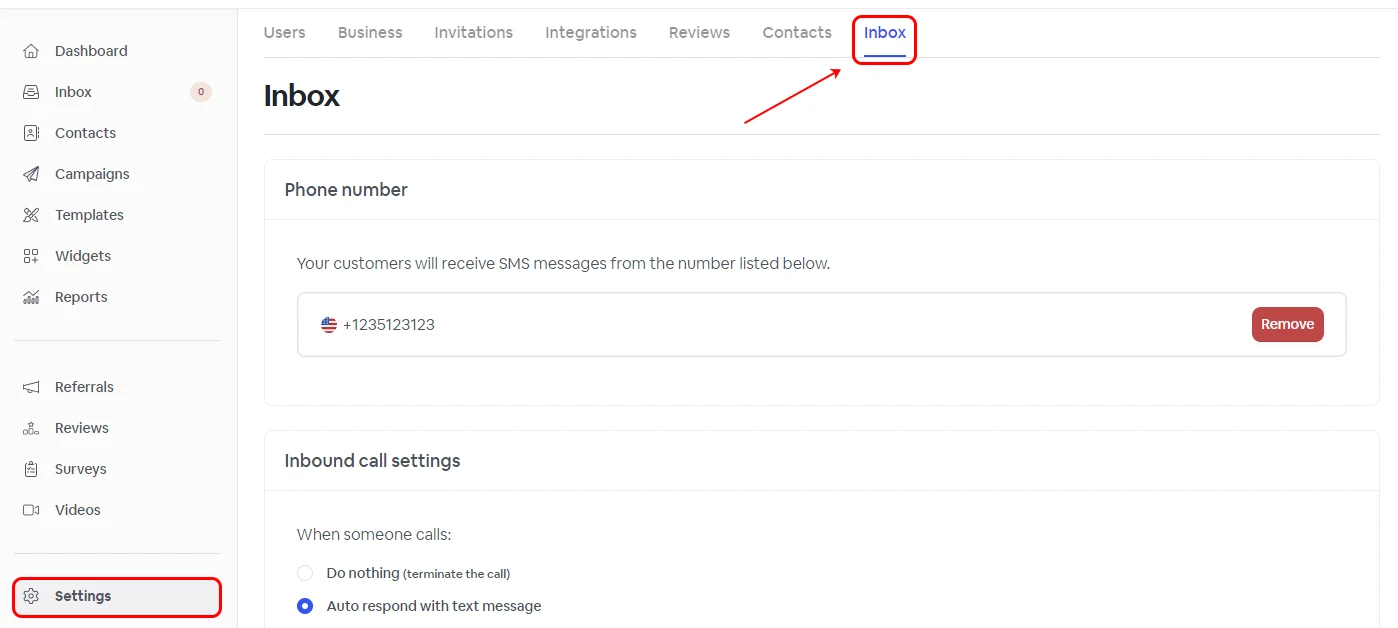
To customize your Inbox behavior, go to **Settings** -> **Inbox.**

<figure><img src="https://support.amazeful.com/files/DN3tERDBgzugMrTlPHFl.webp" alt=""><figcaption></figcaption></figure>

#### Removing Inbox Phone Number

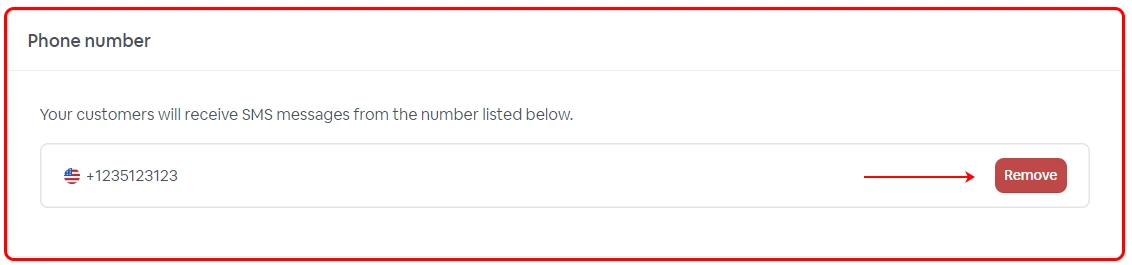
Click the **Remove** icon in the **Phone number** section.

<figure><img src="https://support.amazeful.com/files/RB3wgT3TmEEmmNiHz6yE.webp" alt=""><figcaption></figcaption></figure>

#### Inbound call settings

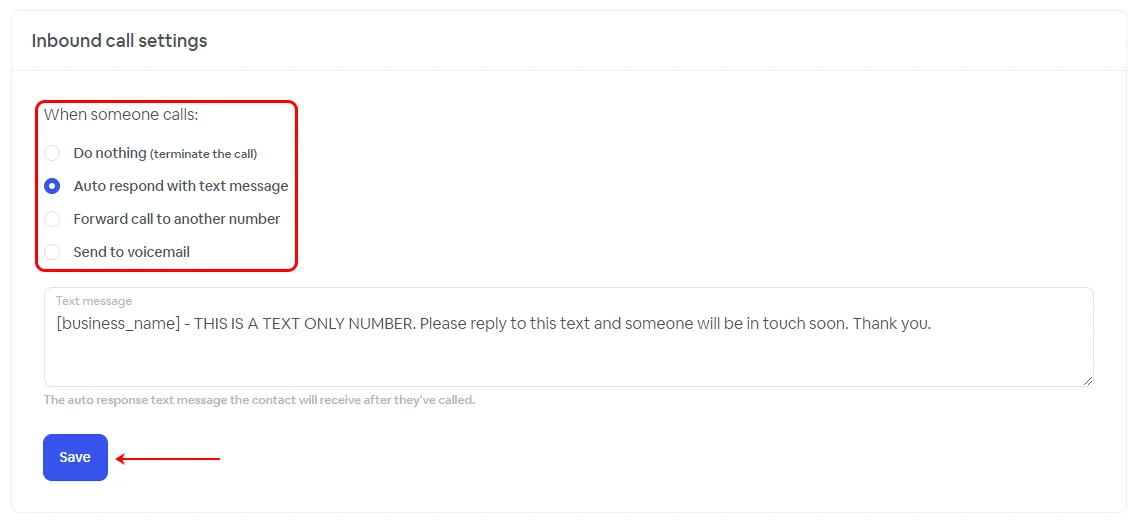
Customize the Inbox behavior when a call is received.

<figure><img src="https://support.amazeful.com/files/4eKIwNH5h4IRLY31Sg45.webp" alt=""><figcaption></figcaption></figure>

<table><thead><tr><th width="303.3333333333333"></th><th></th></tr></thead><tbody><tr><td>Do Nothing</td><td>This option will simply terminate the incoming call.</td></tr><tr><td>Auto respond with text message</td><td>Activating this option will trigger an automated response with a custom text message that has been configured in the box below.</td></tr><tr><td>Forward call to another number</td><td>Enabling this setting allows you to redirect the call to a designated number of your choosing, with the option to set a personalized voice message during the diversion.</td></tr><tr><td>Send to voicemail</td><td>Selecting this option will present the customer with a voicemail. You have the flexibility to personalize the voicemail text, upload your custom recording in MP3 format, set the maximum recording length, and include a Goodbye voice message at the end of the recording. Customer voice messages can be accessed in the Inbox, and you will receive notifications for new voice messages.</td></tr></tbody></table>


> **Info:**
>
> **Auto-respond with text message** will use SMS credits, with the usage dependent on the length of your response text message.
>
> **Forwarding calls to another number** will result in a per-minute charge, determined by the destination country and the specific number you forward the call to. For up-to-date cost details, please reach out to our support team.