Create automations
Create review, survey, video, referral and marketing automations.
Overview
Our platform allows you to create different types of automations:
- Reviews Automation
- Surveys Automation
- Video Testimonials Automation
- Referrals Automation
- Marketing Automations
For our example we will create a review automation, the other automations type surveys, videos, referrals and marketing follow the same pattern.
Create Automation
Reviews Automation - means setting up automated contacts review requests. This section explains how to automate your review request to all your contacts in a specific audience or segment.
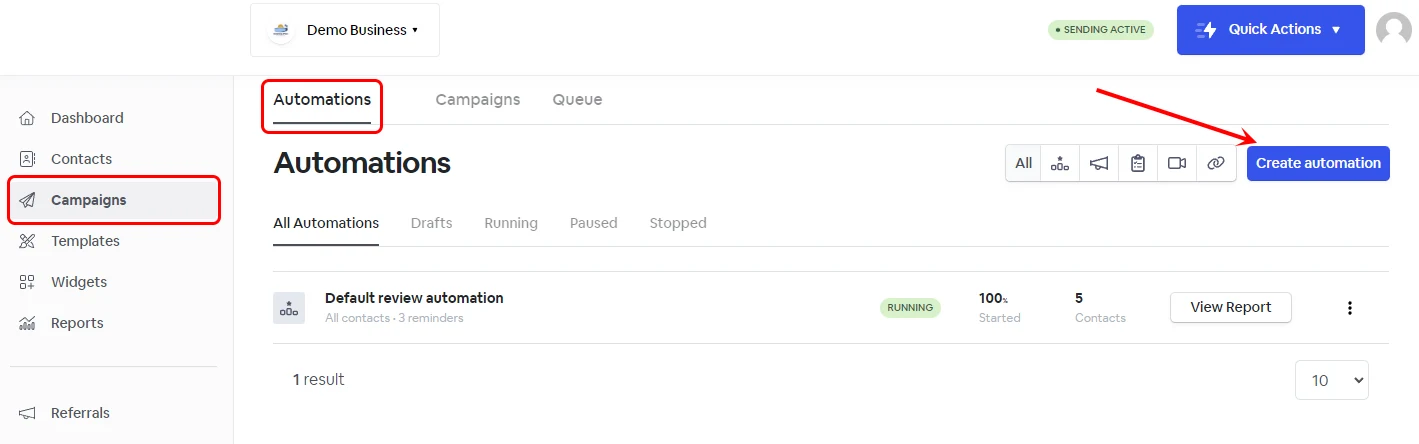
From your account, go to Campaigns -> Create automation.
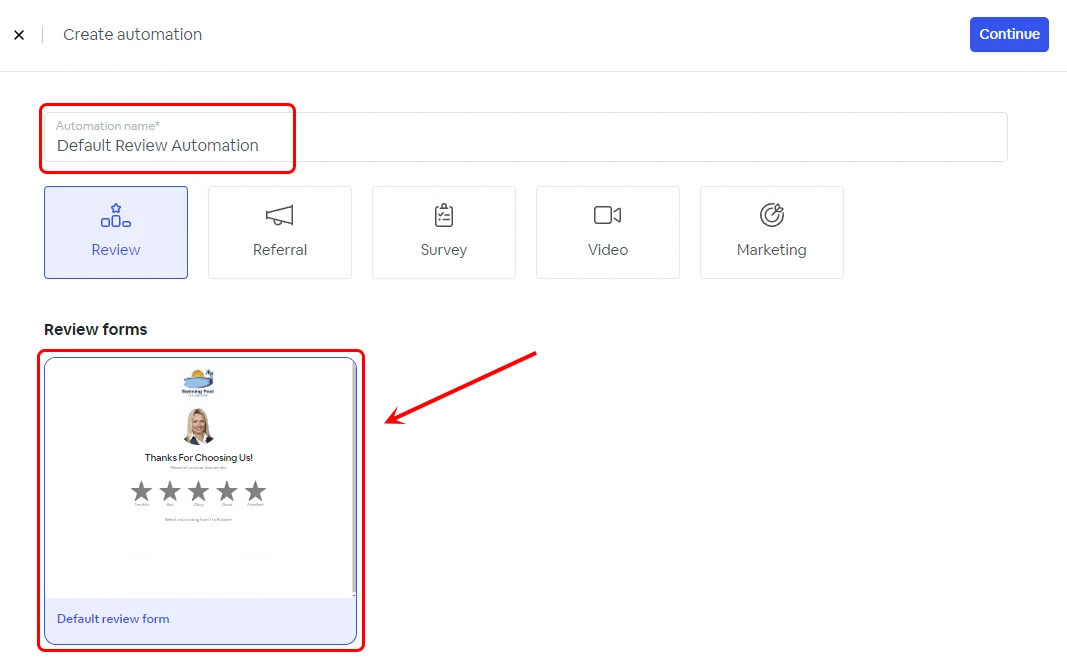
Give it a name and select a review form, then click Continue.
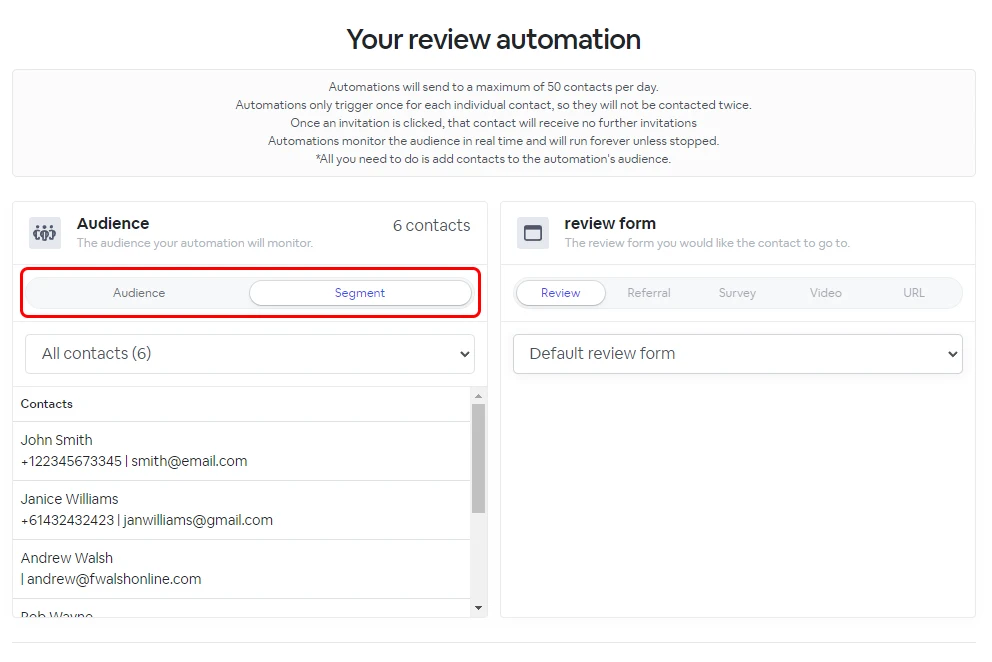
Selecting the Audience or Segment
To automate review requests to your contacts, you need to have an Audience or a Segment selected. Once the Automation runs, it will monitor the selected Audience/Segment for contact changes. Suppose a new contact has been added to the selected Audience/Segment. In that case, that contact will be automatically followed up with an email or SMS text message review request as per the automation setup.
NOTE: A review automation will not follow up with the same contact twice, regardless of whether the contact belongs to multiple audiences or segments.
Invitation reminders
Send the first invitation.
- Select when to send the first invitation reminder (Immediately or delayed)
- Select the delivery method (SMS or email).
- Edit the template ( SMS or email).
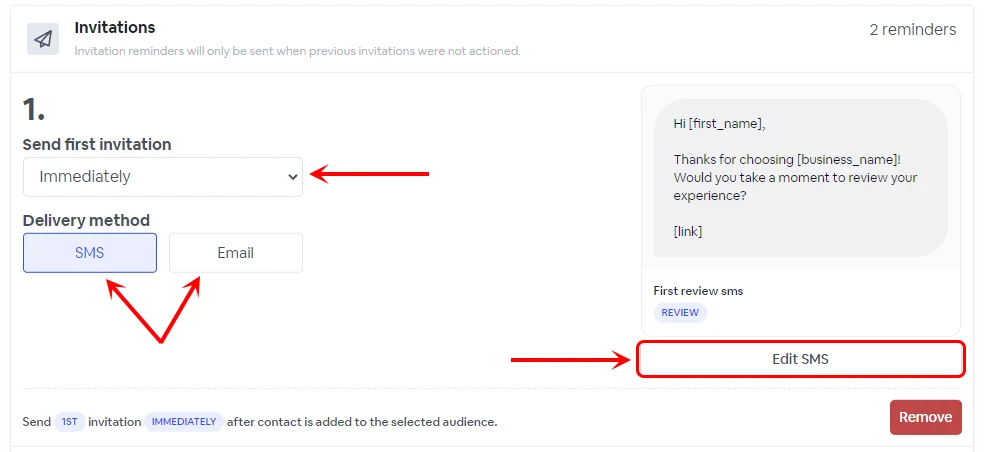
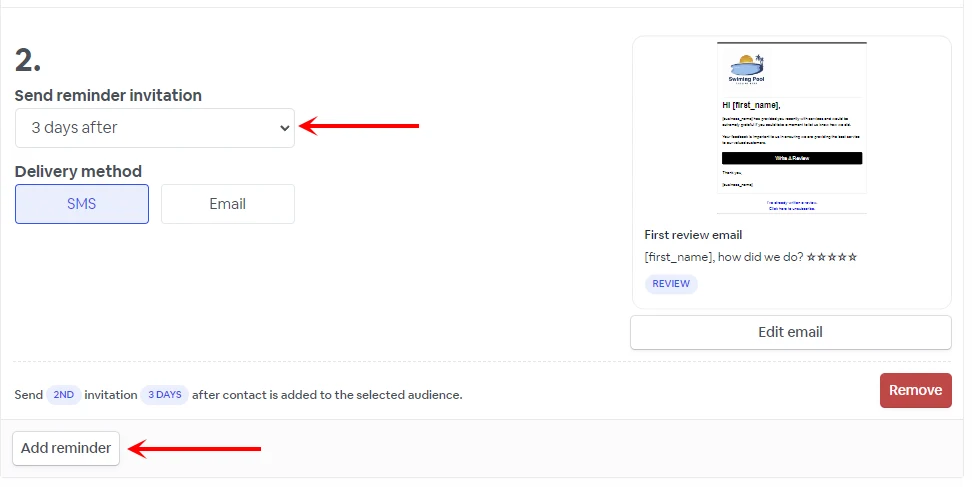
Below you can setup more invitation reminders and select the follow-up delay if needed.
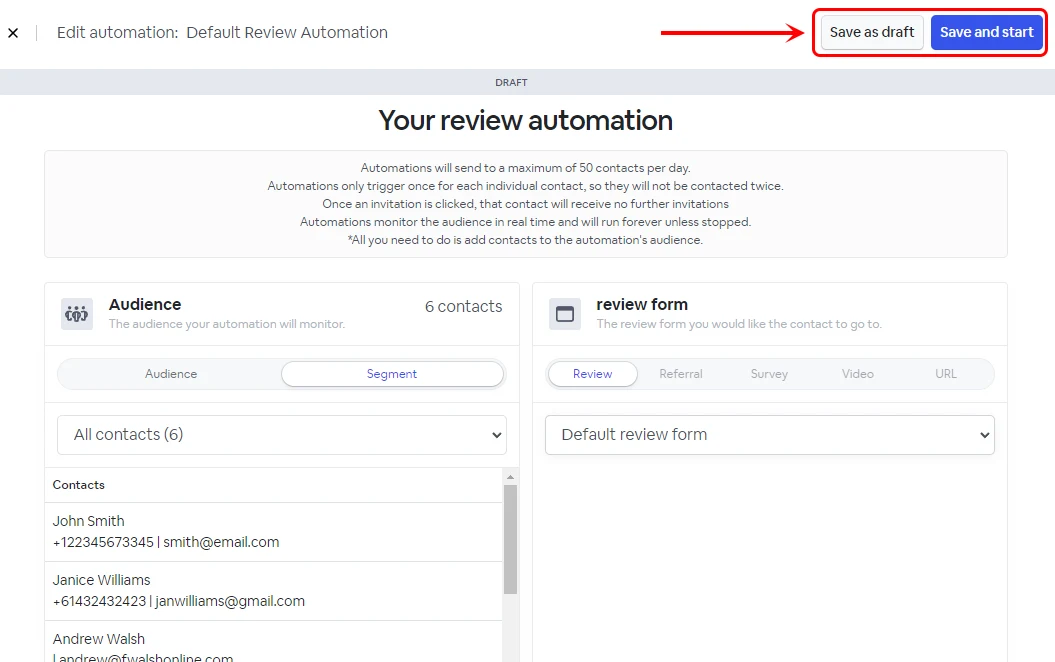
Once your automation is ready, you can save it as a draft or save the changes and start the automation.