Segments
Create segments that automatically add or remove contacts based on conditions.
What is a segment?
Segmentation is a powerful tool that allows you to target or organize specific audiences within a contacts list. A Segment is an organized list of contacts automatically generated by a set of conditions.
Before you create your first segment, it’s essential to know the difference between segments and audiences.
A segment allows you to automatically add or remove contacts based on a set of conditions.
1. Create a segment
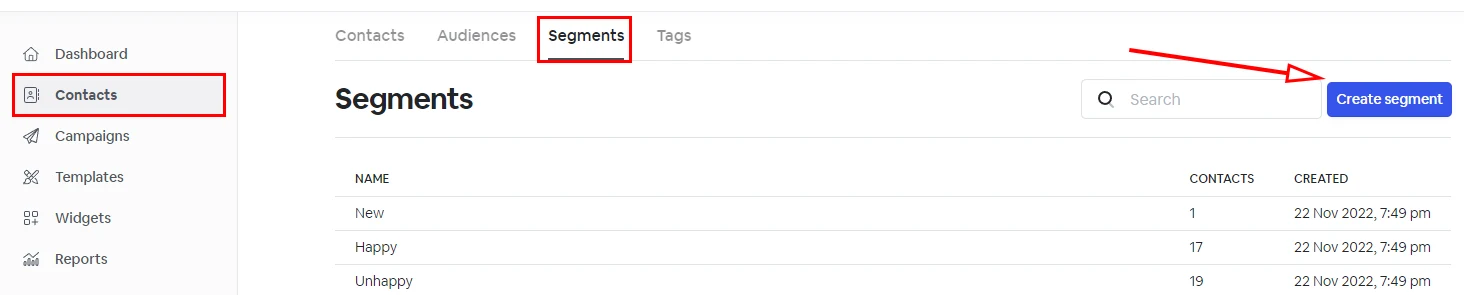
To create a segment, go to the 'Contacts' tab > 'Segments' > 'Create segment' and give your segment a name.
2. Adding contacts to a segment
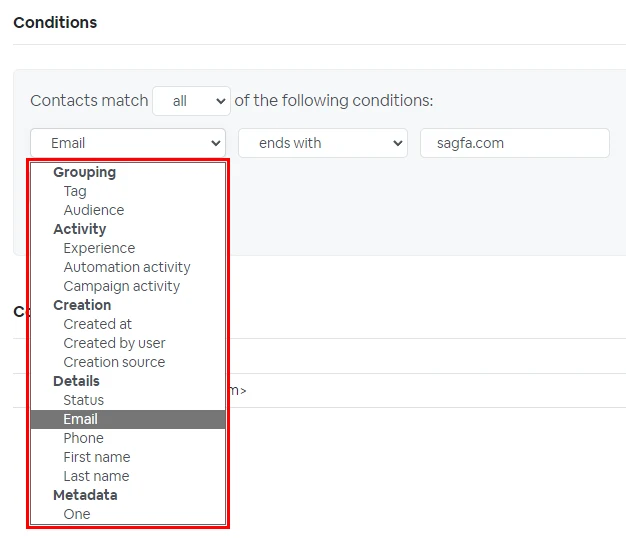
- Select if your contacts should match ANY or ALL of the following condition
- Select if the contact is tagged or not with a specific tag or matches any other activity.
- Click 'Add condition' if you want to filter the segment on more than one condition.
- All, new contacts or existing contacts matching the conditions will automatically be added to this segment.
3. Removing contacts from a segment
If a contact doesn't meet the segment conditions, for example, a tag gets removed from the contact. This contact will be automatically removed from the segment which uses that tag as a filter condition.
If a contact is unsubscribed, it will also be removed from all segments unless the segment condition includes unsubscribed contacts.