Sending Messages
Send and reply to text messages with your customers from the inbox.
1 min readUpdated 1 year ago
Sending a Message
Keep in touch with your customers by connecting with them via text messages. Communication works best when it’s personal.
Info
Hint: Text messages aren't emails. Keep them short and sweet.
To send a message:
- Go to inbox.
- Click the new message icon.
- Search for a contact.
- Click on the contact.
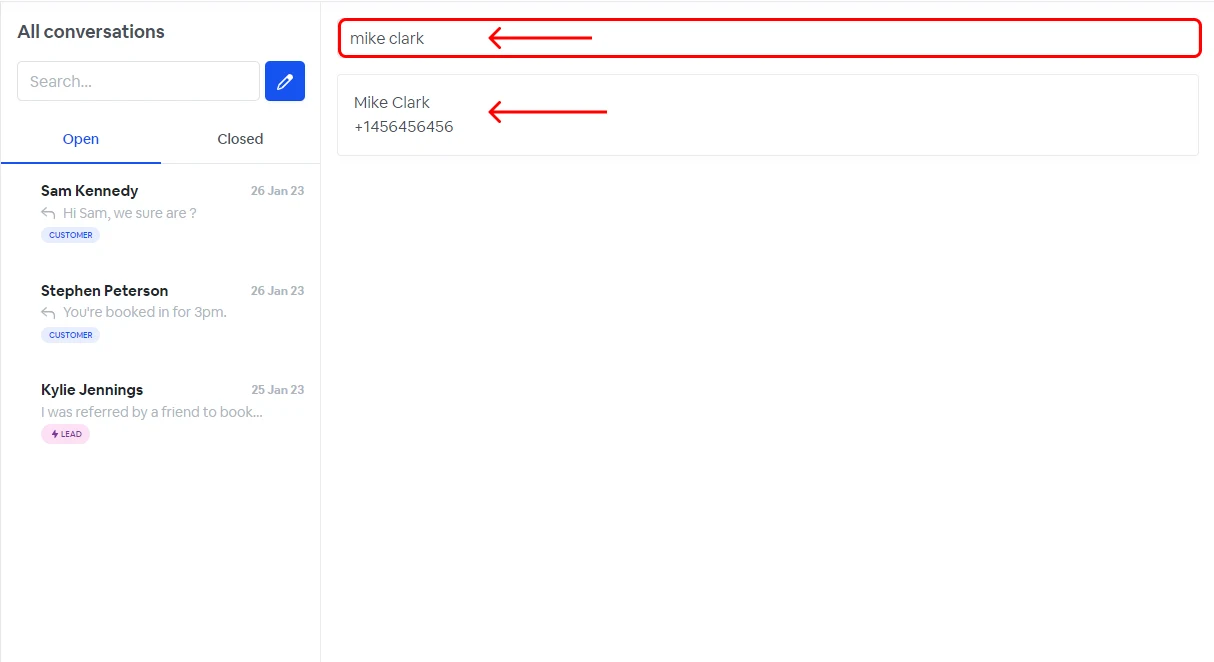
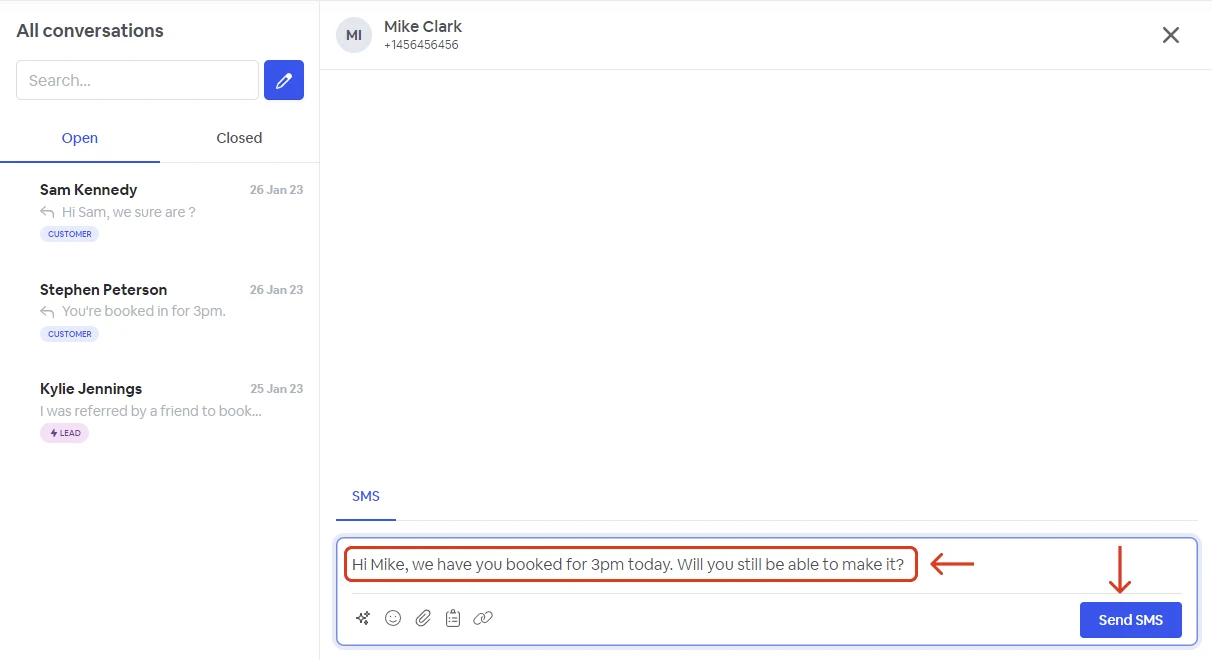
- Write your message.
- Click send.
Replying to Messages
To reply to a message:
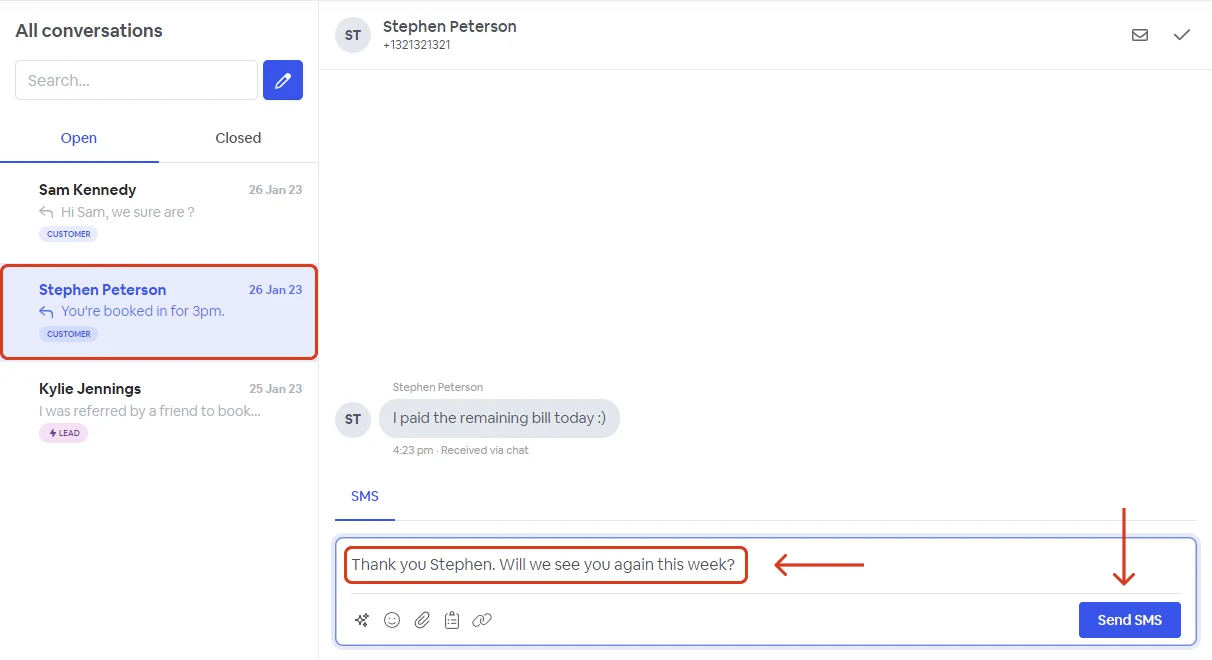
- Go to inbox.
- Select the conversation you want to reply to.
- Create your response.
- Click send.
Inbox SMS options
When sending or replying to a message, you have the following options.
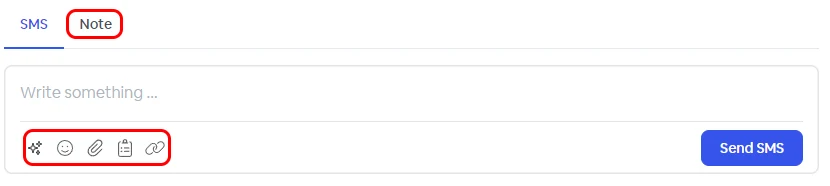
 | Take advantage of Atlas our AI helper. AI feature - Atlas |
 | Insert emojis. |
 | Send file attachements (images,PDF..). |
 | Insert predefine templates. |
 | Insert link to existing forms (review, survey, referral, video testimonial). |
| Notes | Add custom notes only visible to platform users. |