Opening or Closing a Chat Conversation
Track active and completed conversations by marking them open or closed.
1 min readUpdated 1 year ago
To easily track what conversations are currently active and what have completed, conversation are divided into "Open" and "Closed" states.
Conversations are automatically marked as open when they are brand new or when a customer/team member sends a new message to an existing conversation.
To close a conversation it must be manually closed by a team member.
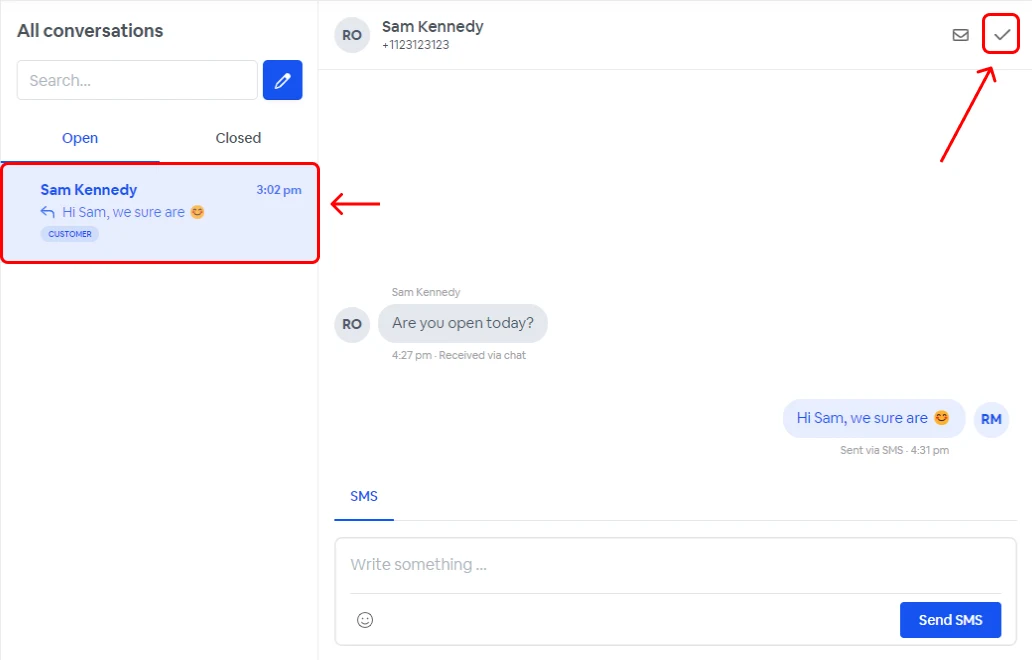
Closing a conversation
- Go to inbox.
- Select a conversation.
- Click the close icon.
Opening a conversation
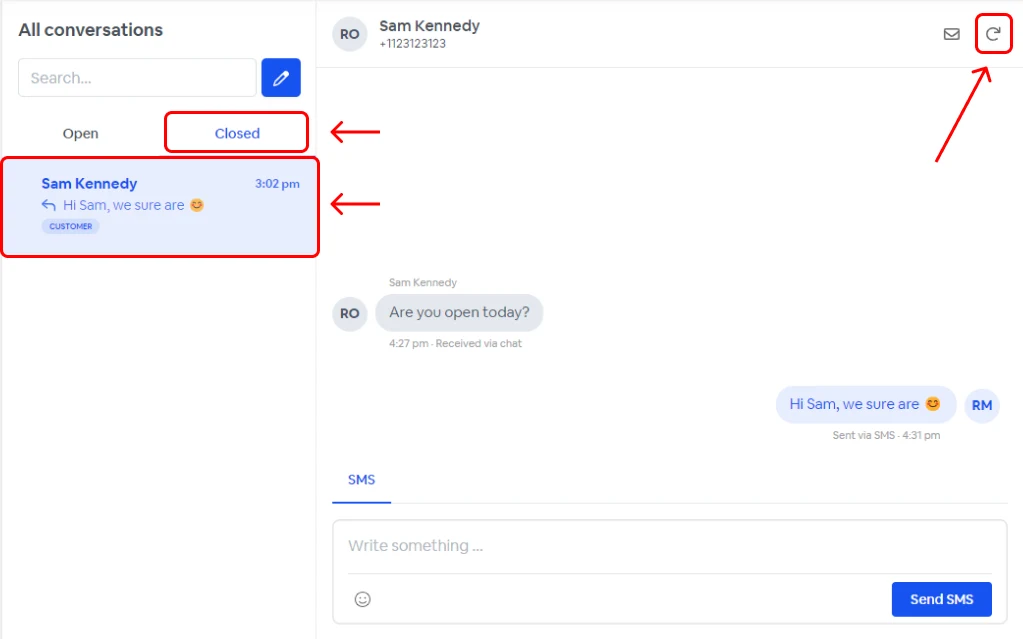
- Go to inbox.
- Click on the "Closed" tab.
- Select a conversation.
- Click the open icon.
Mark a conversation as unread
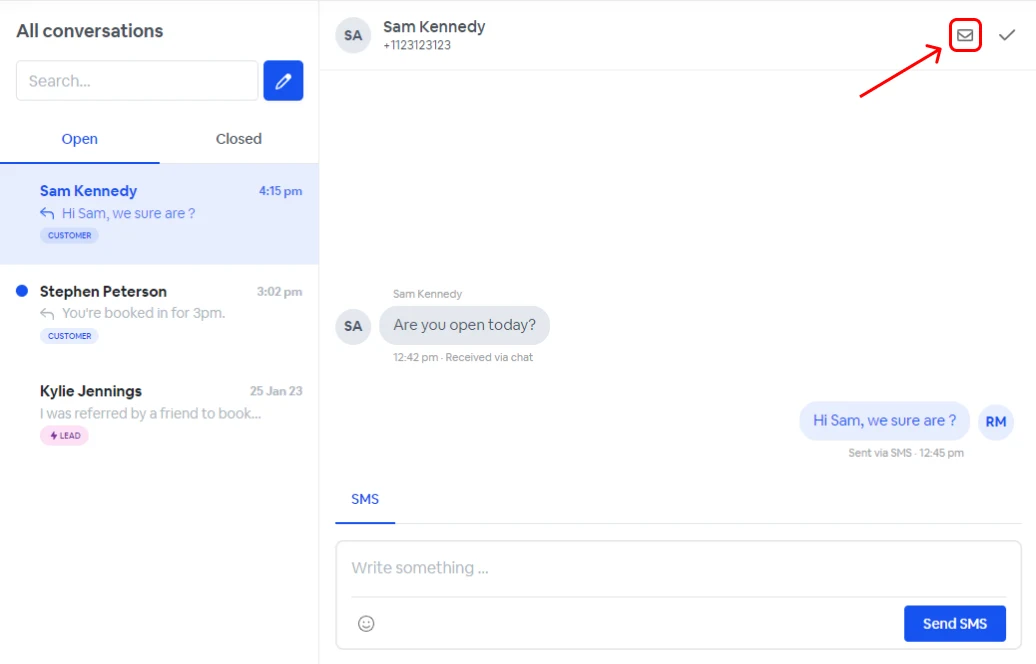
To remark a read conversation as unread:
- Go to inbox.
- Select the conversation.
- Click on the unread icon.
Related articles
- Web Chat WidgetInbox › Getting Started with Inbox
- Installing Web Chat Widgets on WordPressInbox › Getting Started with Inbox
- Installing Web Chat Widget on ShopifyInbox › Getting Started with Inbox
- Installing Web Chat Widget on WixInbox › Getting Started with Inbox
- Finding a ConversationInbox › Navigating the Inbox