Contacts Settings
Create custom metafields to store additional details about your contacts.
1 min readUpdated 1 year ago
In this section you can create new metafields for your contacts. Currently, the available fields for contacts are first name, last name, email, and phone.
If you want to add additional fields such as middle name, city or any other you can do so.
How to create metafield?
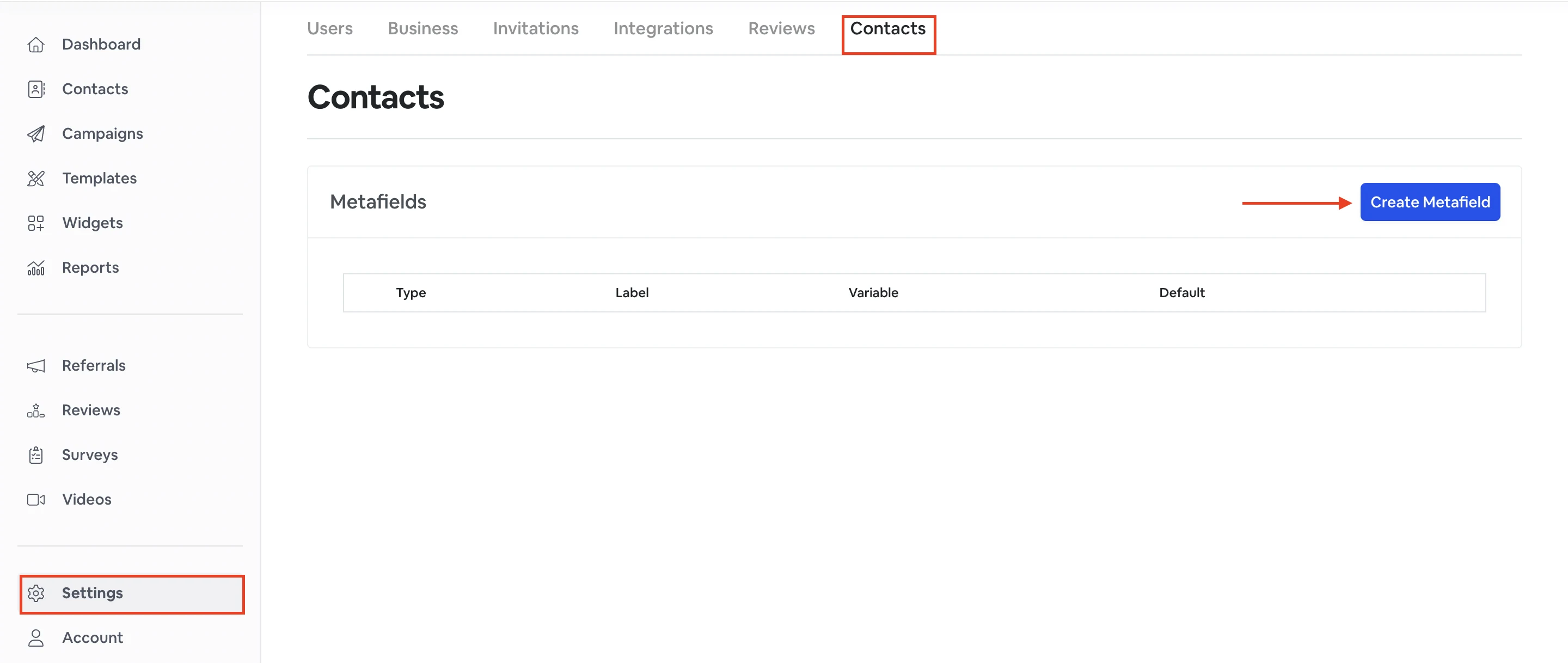
To create a metafield go to Settings -> Contacts -> Create metafield.
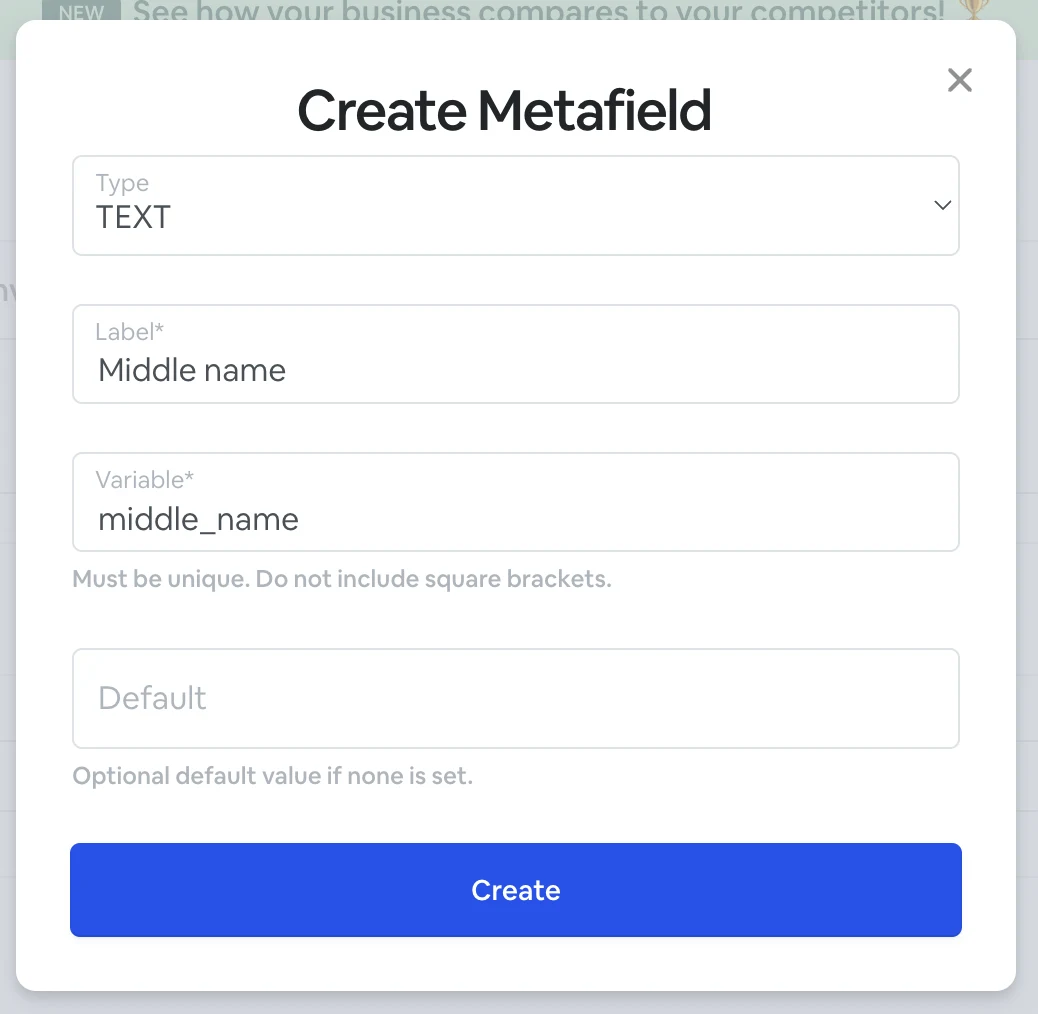
| Label | Type a name of the field. |
| Variable | Variable will be created automatically based on the Label. You can also edit and change it if you want. |
| Default | Optional default value if none is set. |
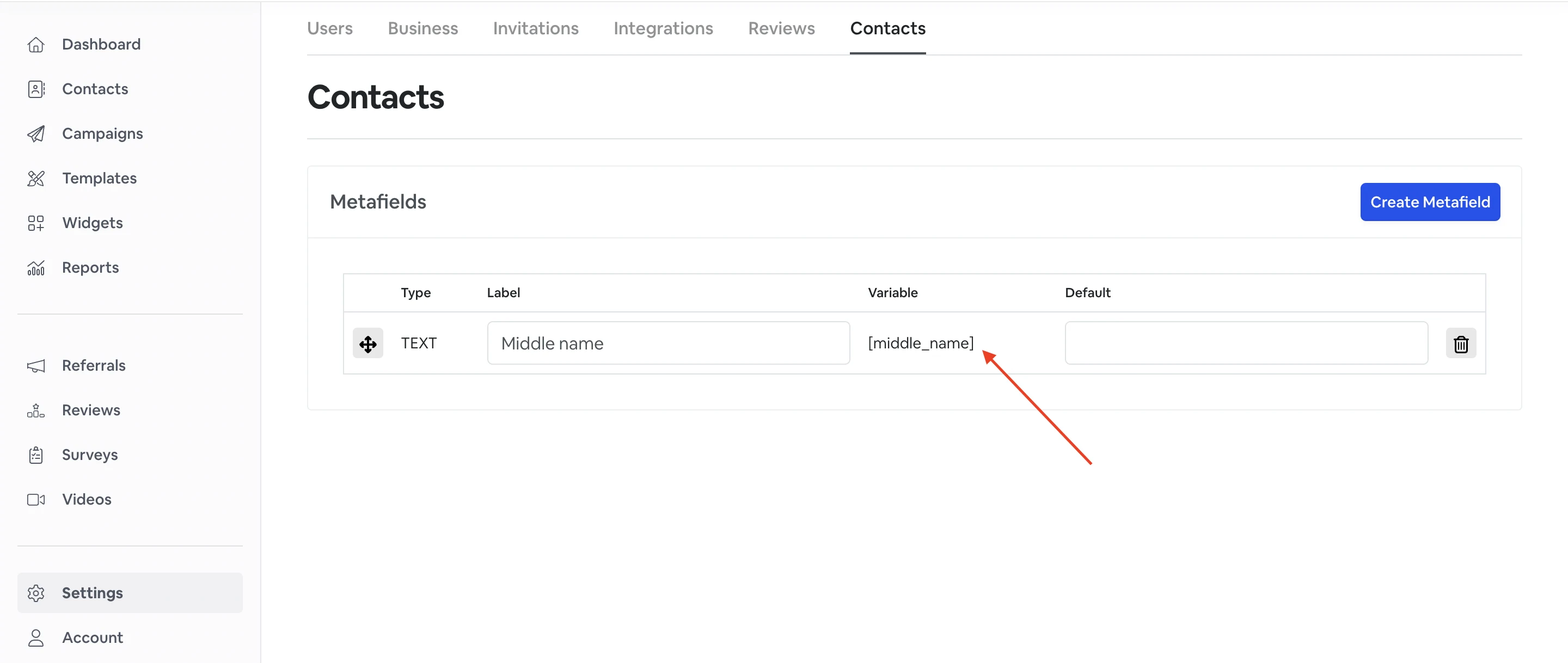
Once you create metafield, it will appear in the Contacts and Templates sections.
How to use metadata?
Please view our FAQ section on how to use the custom metadata.